7
ARY, Inc. | 5200 W 110th Street Suite 200, Overland Park, KS 66211 | www.VacMasterFresh.com | 800-821-7849
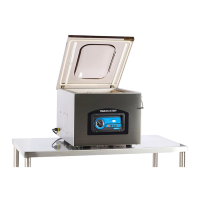
VP321 Chamber Vacuum Sealer | User Guide
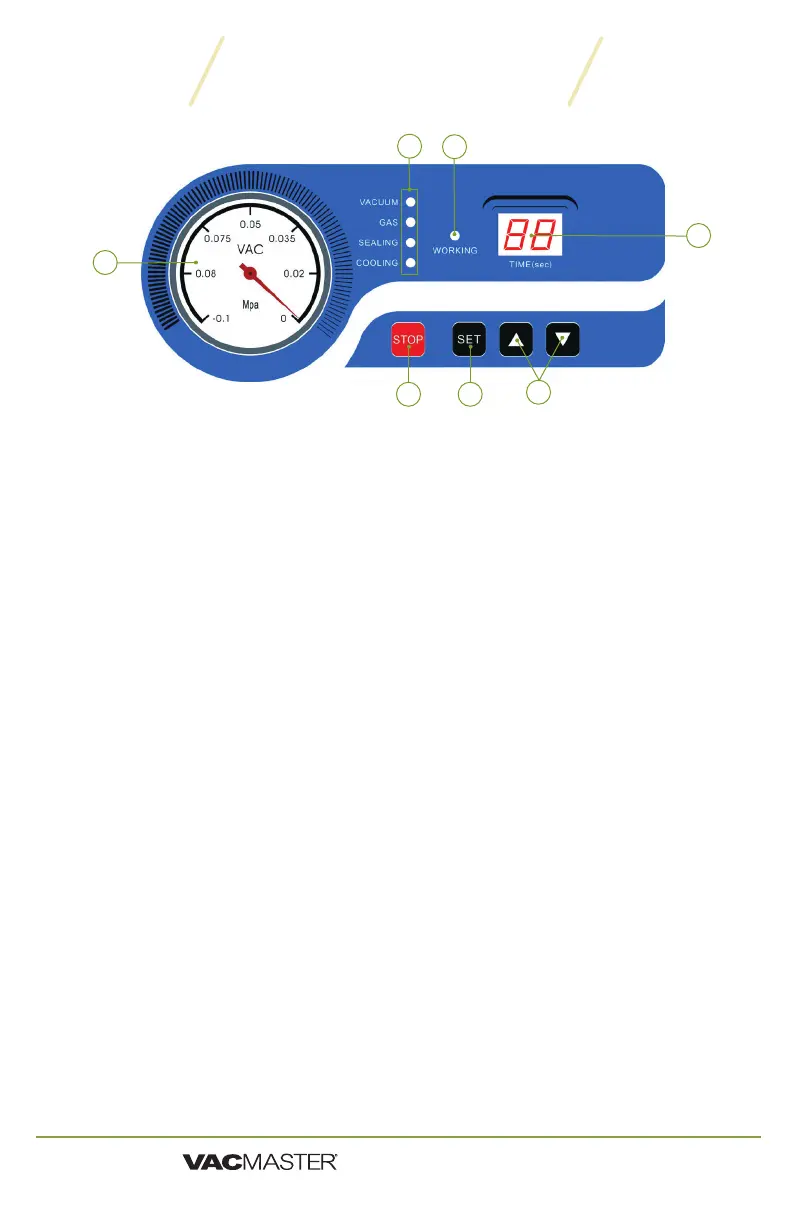
VP321 Control Panel
1. Vacuum Gauge- Indicates the vacuum level inside the chamber.
2. Function Lights:
Vacuum - Illuminates to adjust vacuum time as well as during
the vacuum process. During set up, adjust the vacuum time
using the UP/DOWN Buttons.
Gas - This model does not offer the gas flush option.
Sealing - Illuminates to adjust vacuum time as well as during
the sealing process. During set up, adjust the sealing time using
the UP/DOWN Buttons.
Cooling - Illuminates to adjust vacuum time as well as during
the cooling process. During set up, adjust the cooling using the
UP/DOWN buttons.
3. Working Indicator Light - Illuminates to indicate the machine is
in use.
4. LED Screen (Time) - Displays current function or cycle time,
measured in seconds.
5. STOP Button - Press to stop the cycle and immediately seal the
pouch. This button will only work when the machine is in the
vacuum process.
6. SET Button - Press to select the vacuum time, sealing time, or
cooling time. Use with the UP/DOWN buttons.
7. UP/DOWN Buttons - Press to increase or decrease vacuum time,
sealing time, or cooling time.
6
1
4
7
5
2
3


 To Next Page