12 • vacon Installation
Tel. +358 (0)201 2121 • Fax +358 (0)201 212 205
2
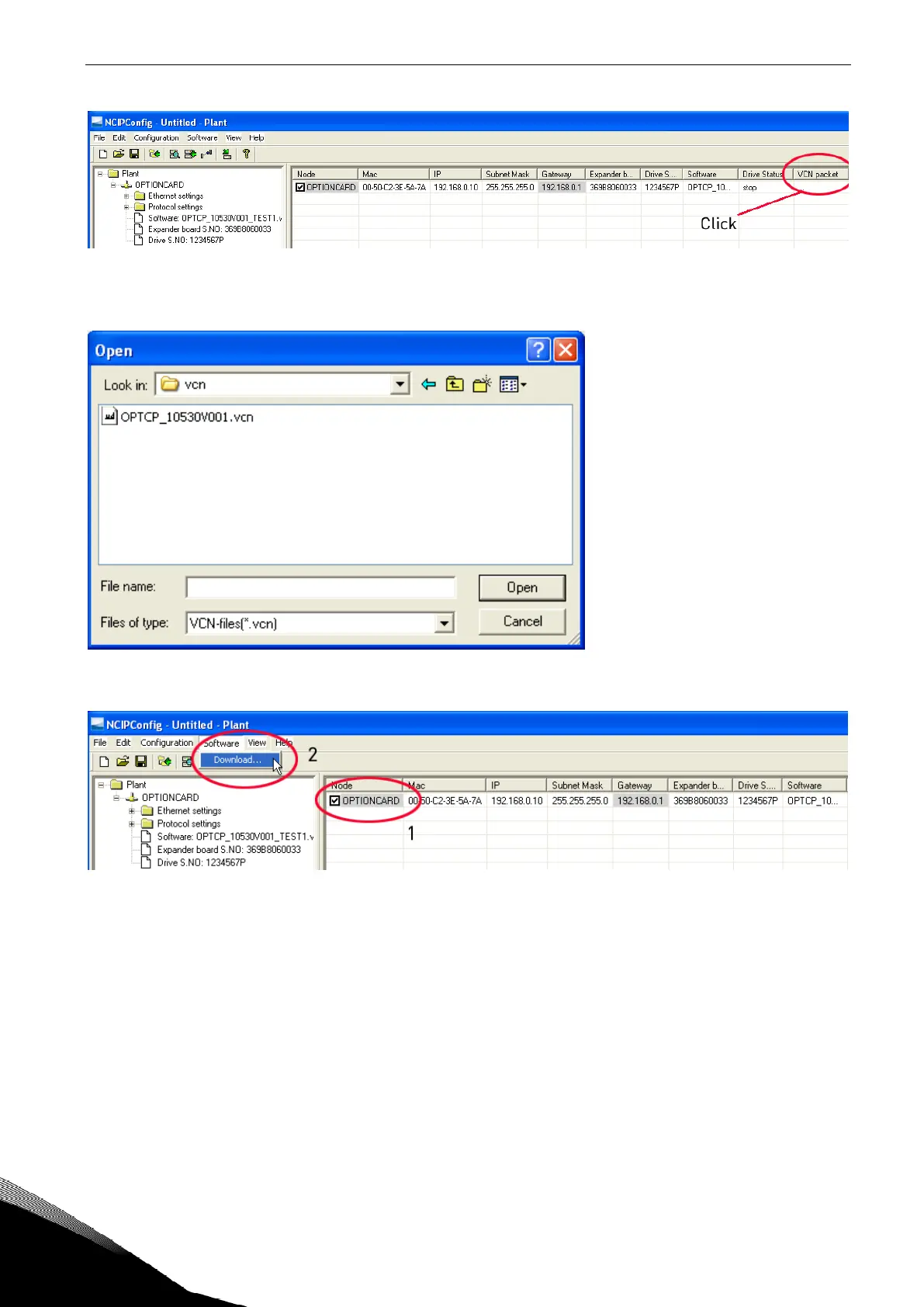
After clicking the
VCN packet field, a file open window where you can choose a new firmware packet
is displayed.
Select the desired packet and click Open.
NOTE!
Do not do a power up cycle after downloading the option board software or installing a new option
board to the drive within 1 minute. This may cause the option board to go to “Safe Mode”. This situa-
tion can only be solved by re-downloading the software. The Safe Mode triggers a fault code (F54).
The Board slot error F54 may also appear due to a faulty board, a temporary malfunction of the
board or disturbance in the environment.


 To Next Page