Installation vacon • 13
24-hour support +358 (0)40 837 1150 • Email: fieldbus@vacon.com
1
3.3.2.
Configure Option board parameters
These features are available from NCIPConfig tool version 1.6.
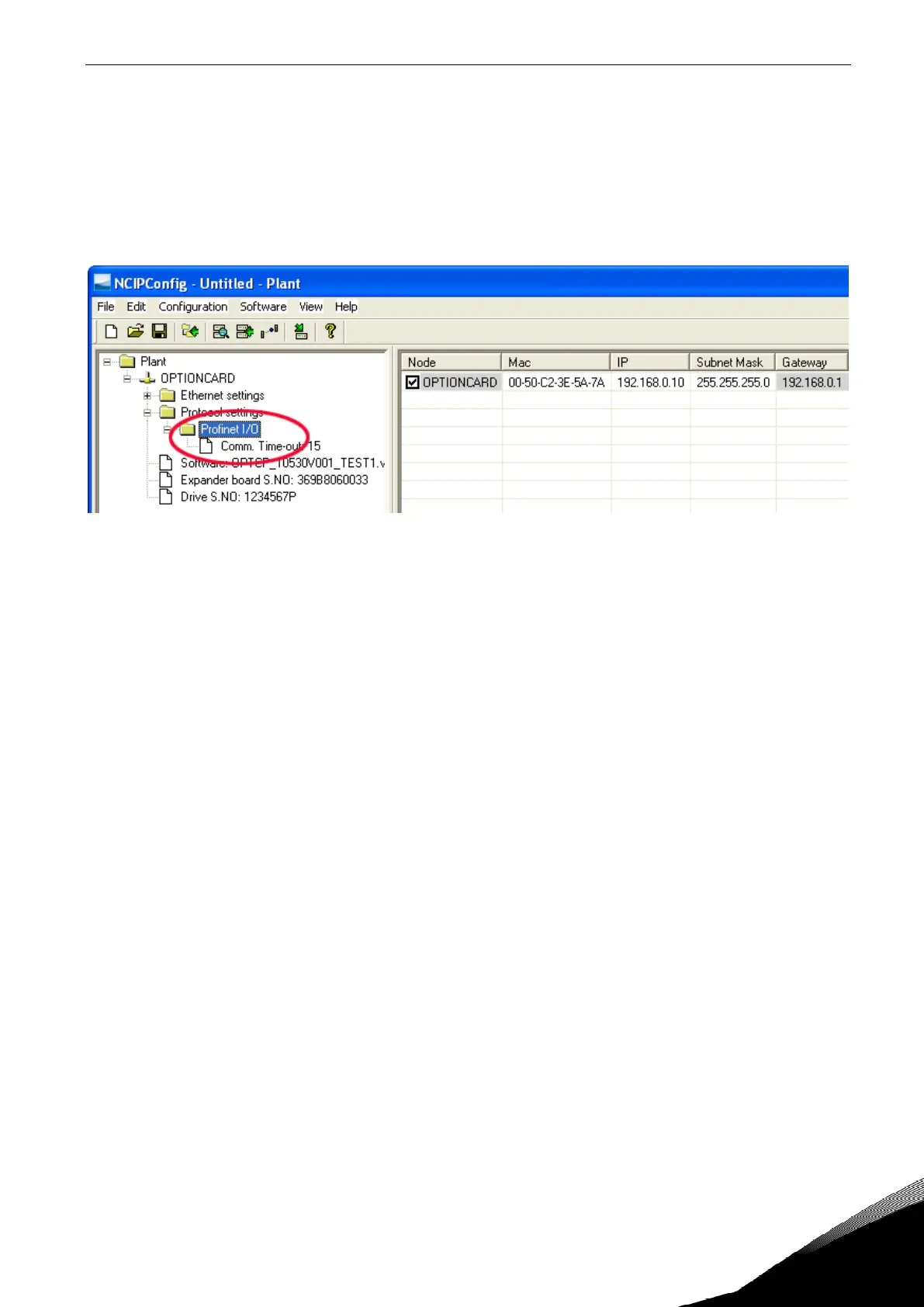
In the tree-view, expand the folders until you reach the board parameters. Slowly double-click the
parameter (
Comm. Time-out
in figure below) and enter new value. New parameter values are auto-
matically sent to the option board after the modification is complete.
NOTE! If the fieldbus cable is broken at the Ethernet board end or removed, a fieldbus error is im-
mediately generated.


 To Next Page