34
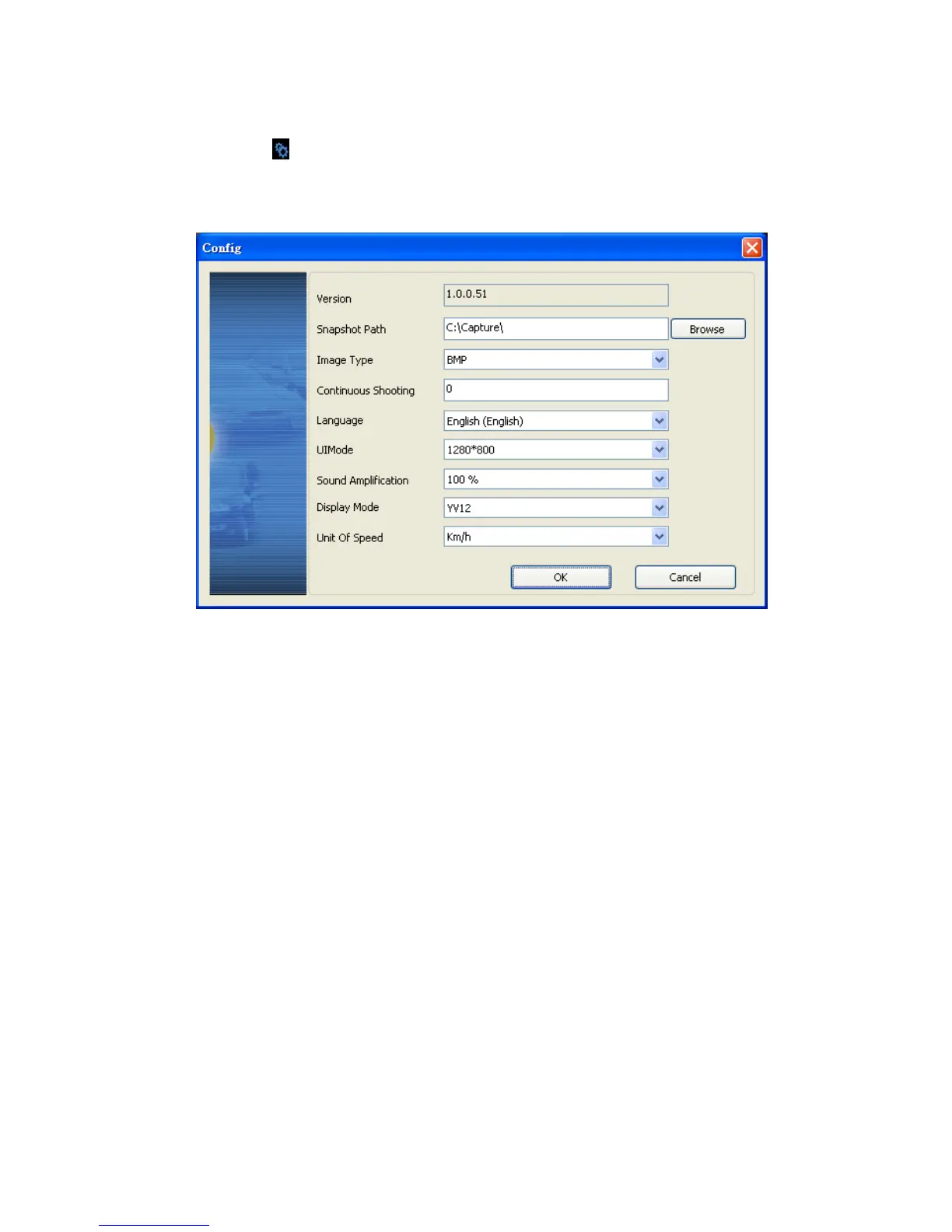
Configuration Setting
Announce related information of software version and data
storage setting of Micro SD card
(a) Version: Current Display Version
(b) Path of snapshoot: store location of PC client
(c) Picture Type: save picture type as bmp or jpg format
(d) Continuous snapshoot: Default value is zero, can set continuous
screen images capturing.
(e) Language: Select a specific language system; please restart
player software after setting up completed.
(f) UI mode: Set up store type for different resolution, including
960x600, 1280x800, 1920x1080. Please insert Micro SD card
before set up the resolution.
(g) Volume Loud: Adjustment of voice volume loudly by percentage.
(h) Display Mode: Default value YV12, two color modes can be
selected: YV12 and RGB.
(i) Speed unit: Km/h, Mile/h and Knot available



 To Next Page