2
B.
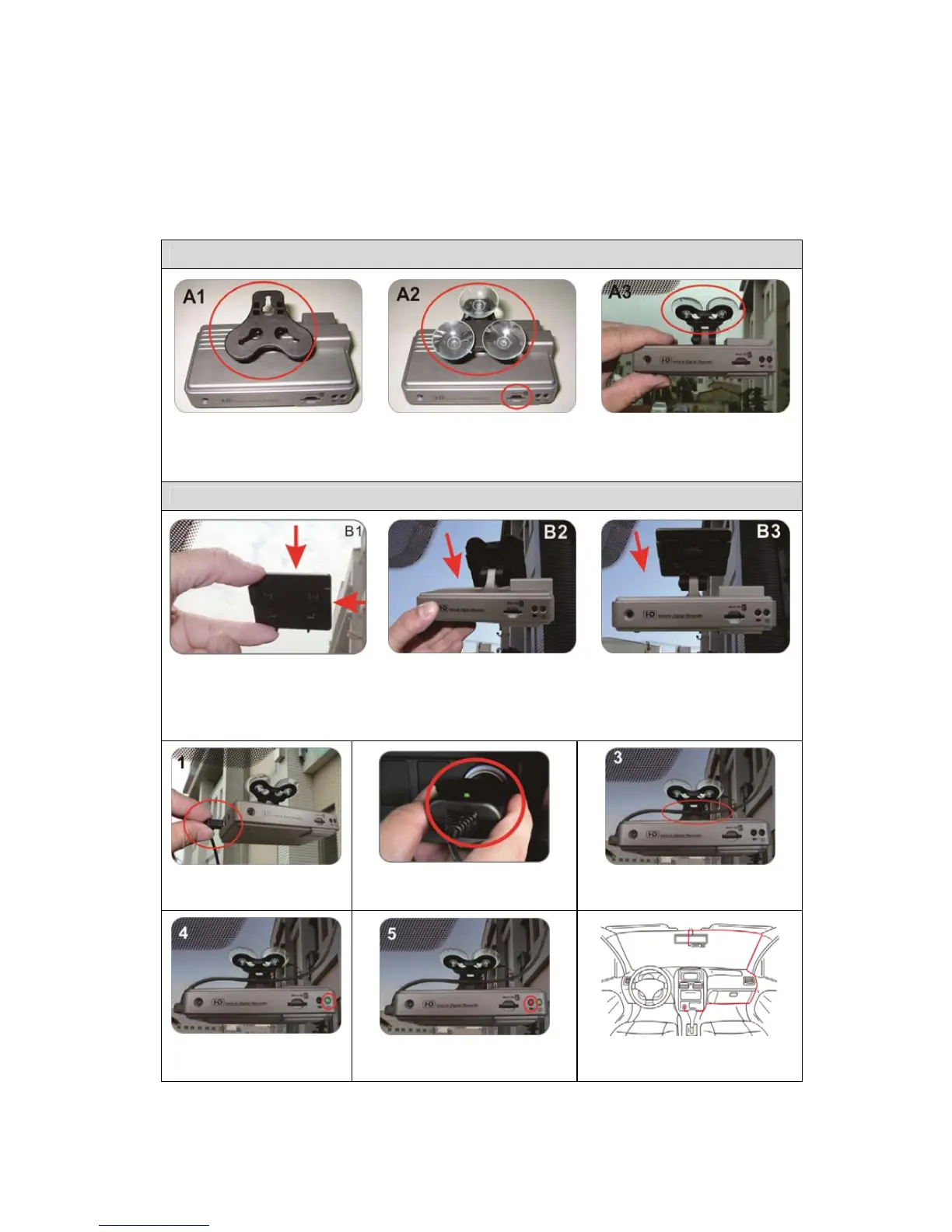
Schematic Diagram of The Installation Steps
Two types of brackets installation for selection, suction-cups type and
stick-holder type.
Suction-cups Type
A1. Make the bracket
facing upward
A2.Assemble the suction
cups, and insert the Micro
SD card.
A3. Set up appropriate
position by suction cups.
Stick-holder Type
B1. Remove 3M sticker
and adjust the best
position to posted closely.
B2+B3. Stuck bracket into latch.
Power line installs into
USB port.
Plug in the cigarette
adapter.
Set up appropriate position
and fix power line.
Green light on:
Power.
Red light flashing:
Recording.
Schematic diagram of the
wire installation.



 To Next Page