2. Install the SDB-3 in the engine room (ER) or engine control room (ECR) but as much as possible free
from moisture, free from large fluctuations of temperature and particularly free from vibration and
shock. Also influences such as large magnetic fields must be avoided. Ambient temperature should
under all circumstances be lower than 55°C. External dimensions drawings of the SDB-3 can be found
in section 17.
3. A. Connect the RS485 Modbus output from the stator control box of one T-/TT-Sense
®
sensor to the
SDB-3 in accordance with drawing 0815-2054 in section 17.
When available, the second T-/TT-Sense
®
sensor cable needs to be connected as well.
B. In case of 3
rd
party Torque meters, connect the 4-20mA output of the Torque meter to the SDB-3
in accordance with drawing 0815-2054 in section 17.
When available, the second 3
rd
party Torque meter cable needs to be connected as well.
4. Connect the signal inputs to the SDB-3 in accordance with drawing 0815-2054 in section 17.
Cable shields should always be connected to the SDB-3 side only.
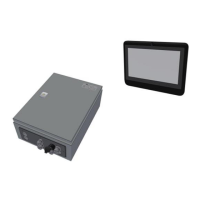
5. Connect the RJ45 Ethernet output from the SDB-3 to the Bridge Panel PC in accordance with drawing
0815-2054 in section 17.
6. Ensure that all relevant signal cables are properly connected and grounded.
7. Connect the ground at the gland plate of the SDB-3 to an earth point close to the SDB-3.
8. Connect the power supply to the SDB-3 and Bridge Panel PC in accordance with drawing 0815-2054
in section 17.
9. Check if the output data is available on the Bridge Panel PC through menu Signals. If any applicable
output data is not available on the Bridge Panel PC a pop-up alarm screen describing the failure(s)
will show up.


 To Next Page