5
3. TECHNICAL SPECIFICATIONS
3.1 PEM4 TOUCH SCREEN
Supply voltage 115-230 VAC to power supply unit
Dimensions
235 x 150 x 44 (w x h x d)
Cut out
217,6 x 128,6 mm (w x h)
Cut out depth
38 mm
Front panel thickness
7 mm
Connections
RJ45 Ethernet connection on the back-bottom side of the panel
Temperature range
-20ºC – 60ºC
Display
Color TFT LCD, PCAPTouch screen 7,0” (1024 x 600 dots) with
adjustable LED backlight
Power consumption
8 W
Processor (CPU)
i.MX 6 DualLite at 1 GHz, 2 GB DDR3 on board memory
Net weight
1,3 kg
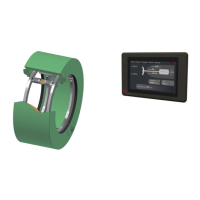
Figure 1 – PEM4 touch screen
4. SAFETY INSTRUCTIONS
There are no special safety instructions for the equipment.
5. UNPACKING
Let the equipment acclimatize inside the closed box for at least one hour at the location where the
system will be installed.
When the equipment is taken out of the box, please leave the special protection supplied with the
equipment as long as possible in place to avoid any damage.
The special protection should be stored for the unlikely event the equipment has to be sent for repair.
Dispose of the packing material should be done according to the laws of the country where the
equipment is installed, or according to the rules that are applicable on the vessel.
Be careful when unpacking the electronic equipment. The content is fragile.
Do not press on the PEM2 touch screen.
6. INSTALLATION AND FIRST USE
The PEM4 touch screen will be delivered with the software and correct data settings installed. First
connect the Ethernet cables to the control box and the touch screen.
The wires for power supply should be connected at last.


 To Next Page