
 Need help?
Do you have a question about the Vaillant ecoTEC pro Series and is the answer not in the manual?
Ensures electrical supply is on and turns the boiler on via the ON/OFF switch (5) from '0' to 'I'.
Sets radiator temperature via control knob (2) and checks programmer/thermostat for heat operation.
Adjusts hot water temperature using knob (1) from a minimum of 35°C to a maximum of 60°C.
Resets the boiler by pressing button (8) for 1 second if the reset symbol is shown on the display.
Turns the boiler off completely by switching the main ON/OFF switch (5) from 'I' to '0'.
Sets the time by turning the minute hand clockwise until it aligns with the time reference triangle.
Configures heating periods by sliding tappets (4 & 5) and setting the mode operation switch (1) to 'clock'.
Overrides timer settings for continuous heating by switching the mode switch (1) to 'ON' or 'OFF'.
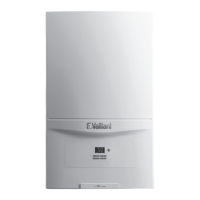
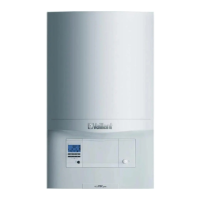
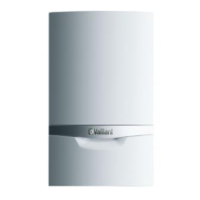
This document provides instructions for operating a Vaillant ecoTEC pro combination boiler and its associated 24-hour central heating time clock.
Function Description: The Vaillant ecoTEC pro combination boiler is designed to provide both hot water and central heating for a home. It operates by heating water on demand for domestic use and circulating hot water through radiators for space heating. The boiler is equipped with controls to manage both functions independently.
Usage Features:
Turning the Boiler ON: To activate the boiler, first ensure that the electrical supply is turned on. This supply typically comes from a switched socket or a fused spur located near the boiler and should remain on continuously for the boiler to operate. Once the electrical supply is confirmed, turn the ON/OFF control (5) on the boiler from the '0' (off) position to the 'I' (on) position.
Controlling the Heating: The radiator temperature control knob (2) allows you to set the maximum desired temperature for your radiators. For the heating to operate, ensure that any remote programmer is set to an "on" setting and that the room thermostat is calling for heat. The heating system will then operate until either the timer shuts off or the room thermostat reaches the set temperature. To turn off the heating, rotate the radiator temperature control (2) fully anticlockwise.
Controlling the Hot Water Temperature: The combination boiler automatically produces hot water when a hot tap is opened. The temperature of the hot water can be adjusted using the hot water control knob (1). This knob allows you to set the temperature between a minimum of 35°C and a maximum of approximately 60°C. Turning the knob clockwise increases the temperature, while turning it anticlockwise reduces it. The selected temperature will be briefly shown on the boiler's display (3).
Resetting the Boiler: If the boiler encounters an issue and stops functioning, a reset symbol (I) will appear on the display. To reset the boiler, press and hold the 'Reset' button (8) for one second, then release it. The boiler should then resume normal operation. If the boiler shuts off after three consecutive reset attempts, it indicates a persistent problem, and you should contact your Service Provider. When a fault occurs, the boiler's memory stores a fault code, which assists in diagnosing the issue.
Turning OFF the Boiler: To completely turn off the boiler, rotate the main ON/OFF switch (5) from the 'I' (on) position to the '0' (off) position.
Maintenance Features: The document explicitly states: "DO NOT BLEED YOUR RADIATORS." This is an important maintenance instruction. If the pressure reading on the boiler's gauge (6) falls below 0.7 bar, or if any other problems arise, you should contact your service provider. This suggests that low pressure or other malfunctions require professional attention rather than user intervention like bleeding radiators.
Function Description: The Vaillant 24-hour central heating time clock is an accessory designed to control the central heating system's operation based on a pre-set schedule. It allows users to program specific "on" and "off" periods for heating throughout the day.
Usage Features:
Operating Mode Switch (1): This switch determines how the heating is controlled:
Time Reference Triangle (2): This triangle indicates the current time of day. For example, if it points to '10.00', it signifies 10:00 AM.
Minute Hand (3): The minute hand is used for both showing the current time and for setting the time on the clock.
Slide-in Tappets (4) and Slide-out Tappets (5): These tappets are the programmable elements of the time clock.
Time of Day (6): The time of day is read opposite the time reference triangle (2). The clock uses a 24-hour format.
Time Setting: To set the current time, rotate the minute hand (3) clockwise until the time reference triangle (2) aligns with the correct time of day.
Mode Setting: To program the heating schedule, set the tappets (4 & 5) for the desired "on" and "off" periods. Remember that each tappet controls a 15-minute interval. Once the schedule is set, turn the mode operation switch (1) to the clock position. This enables the central heating to operate according to the programmed schedule.
Overriding Selected Time Periods:
Important Note on Overrides: The "OFF" position should generally not be selected for extended periods, especially during frosty conditions. To prevent freezing of the building and heating system, it is recommended to select "Auto" (timed operation) during normal conditions. This ensures that the system maintains a minimum temperature, protecting against frost damage.
 General
| Model | ecoTEC pro 24, ecoTEC pro 28, ecoTEC pro 30 |
|---|---|
| Type | Combi Boiler |
| Fuel Type | Natural Gas |
| Dimensions (H x W x D) | 720 x 440 x 338 mm |
| Mounting | Wall-mounted |
| ErP Rating | A |
| Efficiency Rating | 94% |
| DHW Flow Rate | 12.3 l/min (ecoTEC pro 30) |
| Efficiency | Up to 94% |
| Warranty | Up to 7 years |






 To Next Page