Appendix
0020287935_00 Operating and installation instructions 27
B -- Troubleshooting, maintenance message
B.1 Troubleshooting
Symptom Possible cause Measure
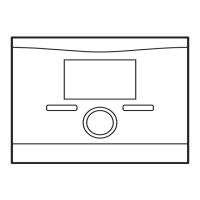
Display remains dark Software error 1. Press and hold the button on the top right
of the remote control for longer than five
seconds in order to force a restart.
2. Switch the mains switch on the heat gen-
erator that feeds the system control off and
back on again.
No power supply at
the FM5
▶ Re-establish the power supply to the FM5;
this is the same power supply that feeds the
remote control.
The product is defect-
ive
▶ Replace the product.
No changes in the
display can be made
via the control ele-
ments
Software error ▶ Switch the mains switch on the heat gen-
erator that feeds the system control off and
back on again.
The product is defect-
ive
▶ Replace the product.
It is not possible to
switch to the installer
level
You do not know the
code for the installer
level
▶ Reset the remote control to the factory set-
ting. All set values will be lost.
B.2 Troubleshooting
Message Possible cause Measure
Remote control 1
communication inter-
rupted
Incorrect plug connec-
tion
▶ Check the plug connection.
The cable is defective ▶ Replace the cable.
Troubleshooting for additional fault messages (→ sensoCOMFORT operating and in-
stallation instructions, appendix B)
B.3 Maintenance messages
Maintenance messages (→ sensoCOMFORT operating and installation instructions,
appendix B.3)


 To Next Page