7 Start-up of the separate version by the end user
98 Operating and installation instructions 0020266269_00
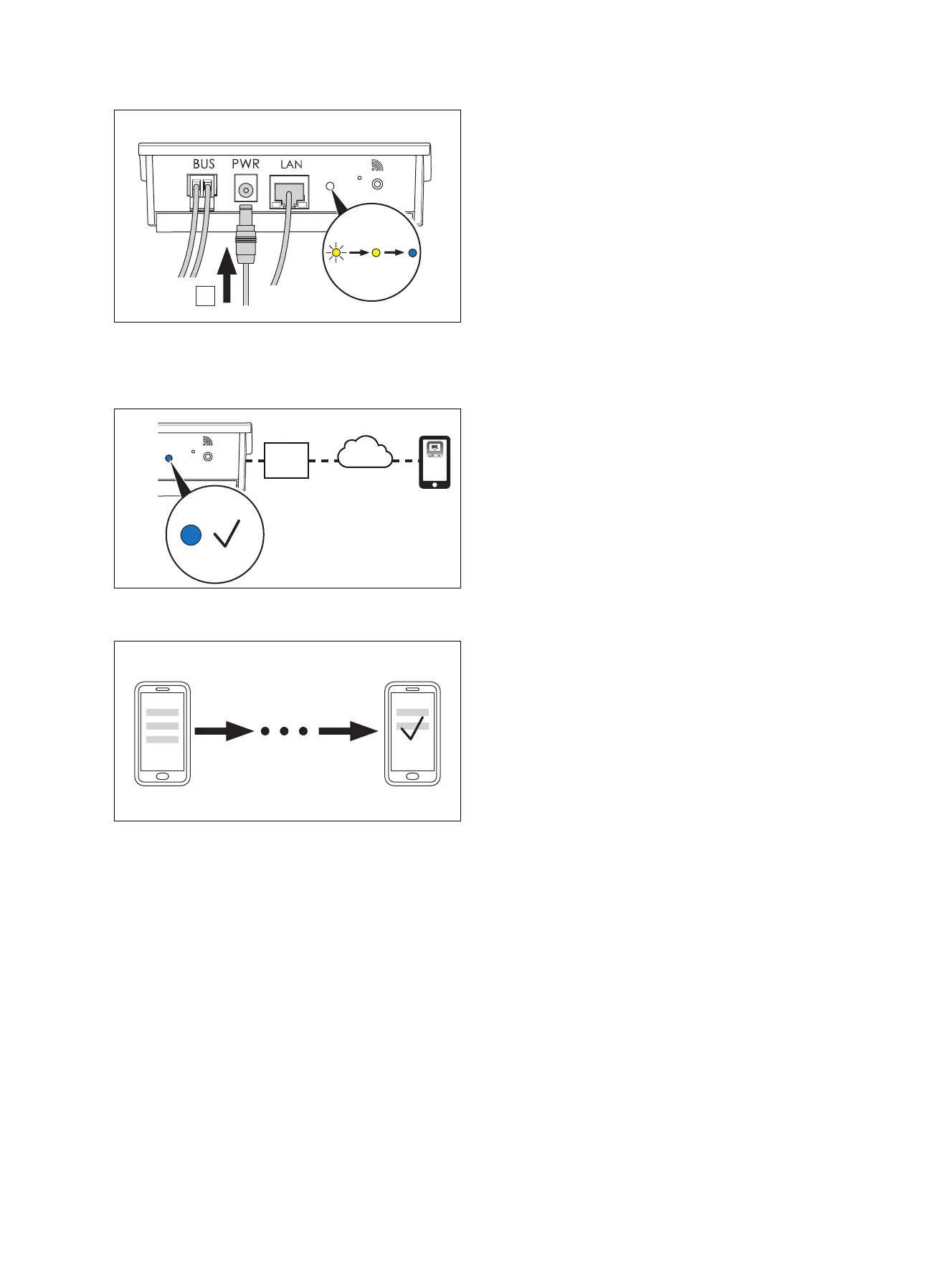
2. Connect the power supply cable to the communication
unit (A).
◁ The LED flashes yellow, lights up in yellow and then
lights up permanently in blue.
3. Once the LED is lit up permanently in blue, the commu-
nication unit is connected to the Internet.
4. Carry out the further instructions in the app to set up
your account and configure the installation.


 To Next Page