7 Start-up of the separate version by the end user
96 Operating and installation instructions 0020266269_00
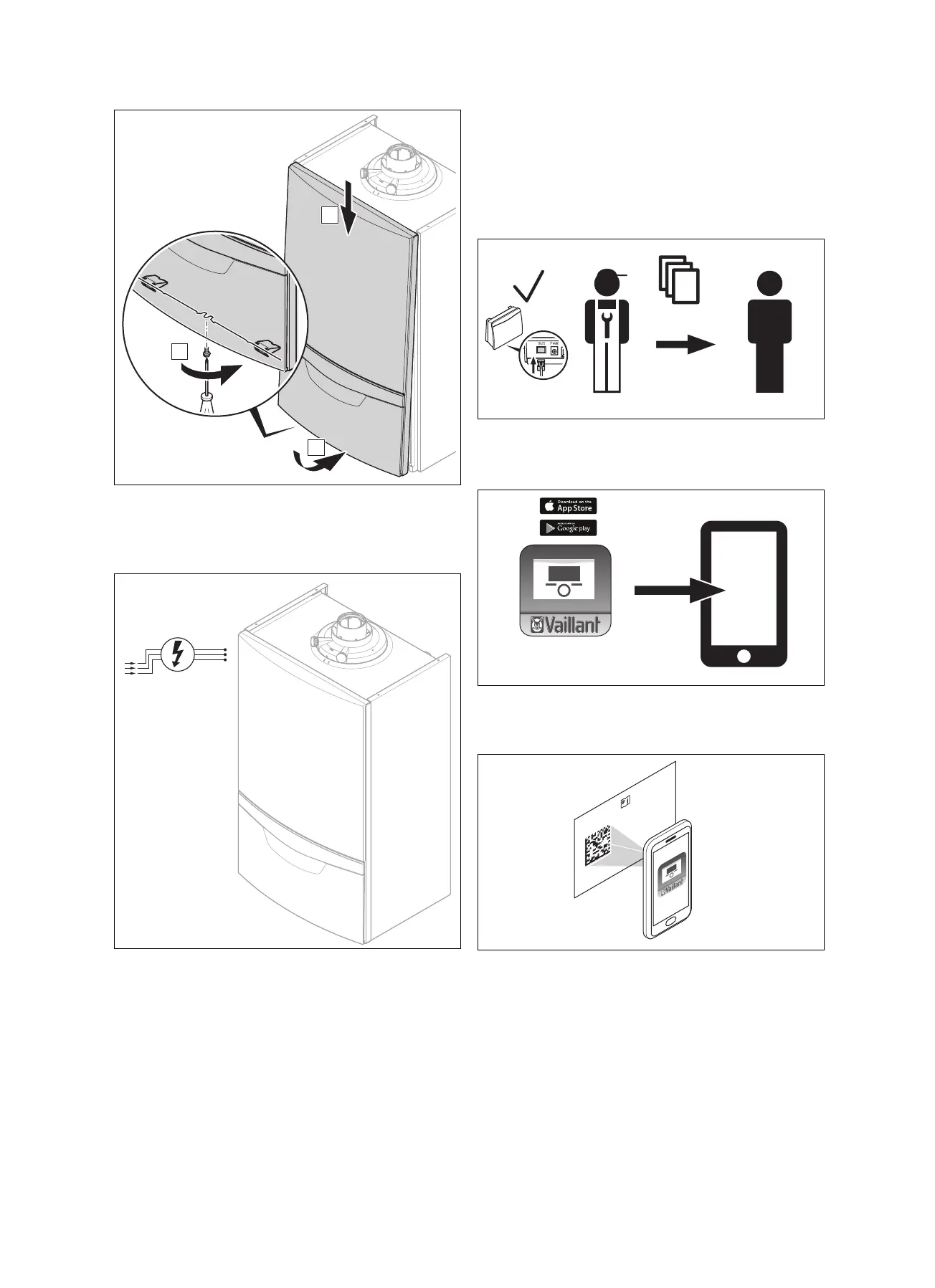
12. Install the boiler's front casing (A).
13. Push the front casing down against the boiler until it
clicks into place (B).
14. Use the screw to secure the front casing (C).
15. Connect the boiler to the power supply.
16. Hand the product over to the end user.
7 Start-up of the separate version by
the end user
You can use WLAN or LAN with this version of the commu-
nication unit.
7.1 Starting up the communications unit
1. When you hand the unit over to the end user, the com-
munication unit is in the following condition:
– The eBUS cable has been connected
2. Download the multiMATIC or VRC 700 app from the
App Store or Google Play Store, install it on your smart-
phone and follow the instructions in the app.
SN:
211207
0020116884
0908005021N3
MAC:
00:1E:5E:A0:00:08
3. Use your smartphone to scan the 2D code on the card
in the bag of small parts when the app asks you to do
so.


 To Next Page