8 Operating and installation instructions 0020298957_01
2.6 Display, control elements and
symbols
2.6.1 Control elements
– Calling up the menu
– Back to the main menu
– Confirming a selection/change
– Saving set values
– One level back
– Cancelling input
– Navigating through the menu struc-
ture
– Reducing or increasing the set
value
– Navigating to individual num-
bers/letters
– Calling up help
– Calling up the time programme as-
sistant
– Switching on the display
– Switching off the display
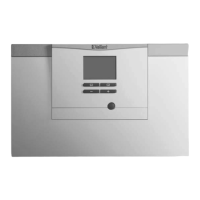
The control element is located on the
upper side of the control.
Active control elements light up green.
Press once: You access the basic
display.
Press twice: You access the menu.
2.6.2 Symbols
Battery state of charge
Signal strength
Time-controlled heating active
Button lock active
Maintenance required
Fault in the heating installation
Contact the competent person





 To Next Page