0020298957_01 Operating and installation instructions 9
2.7 Operating and display functions
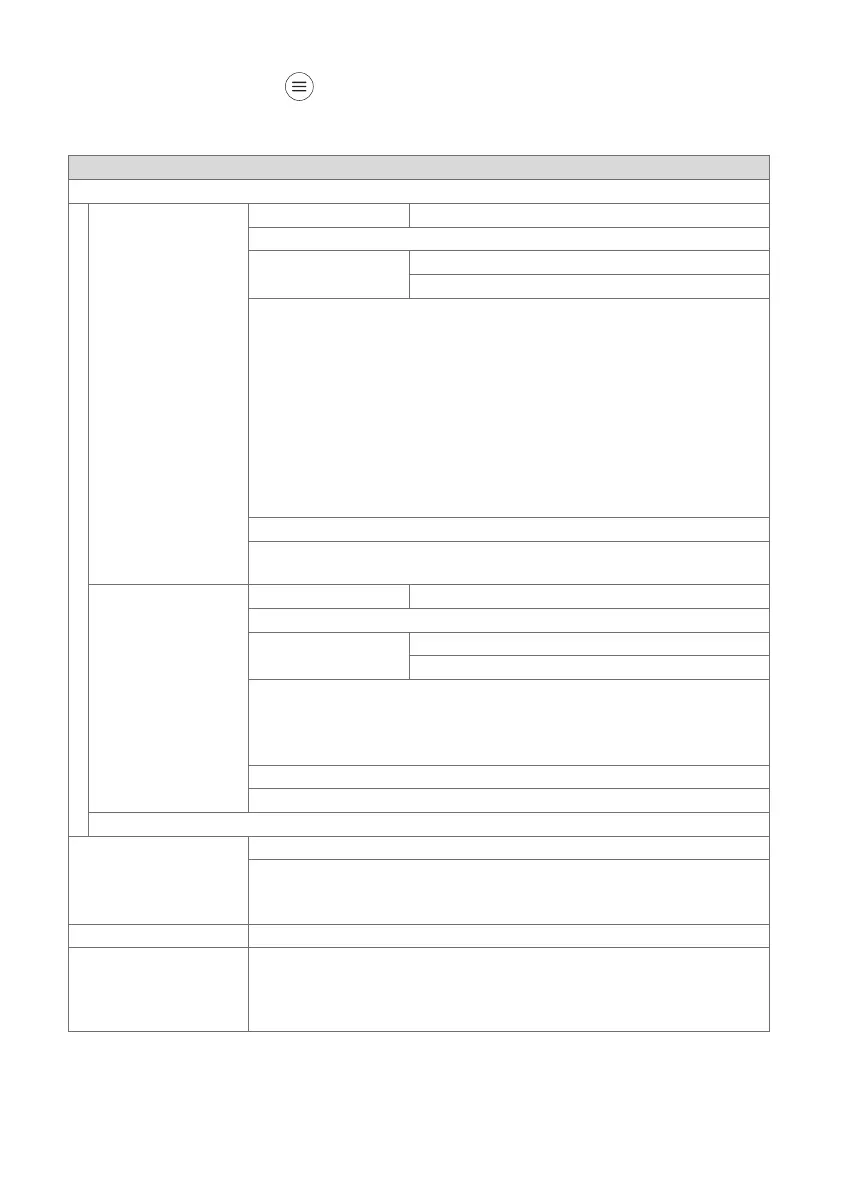
To call up the menu, press twice.
2.7.1 CONTROL menu item
MENU → CONTROL
→ Zone
→ Heating → Mode: → Manual → Desired temperature: °C
Uninterrupted retention of the desired temperature
→ Time-contr. → Weekly planner
→ Set-back temperature: °C
Weekly planner: Up to 12 time periods and desired temperatures can
be set per day
The competent person sets how the heating installation behaves out-
side of the time period in the Set-back mode: function.
In Set-back mode: means:
– Eco: The heating is switched off outside of the time periods. Frost
protection is activated.
– Normal: The set-back temperature applies outside of the time peri-
ods.
Desired temperature: °C: Applies within the time periods
→ Off
Heating is switched off, domestic hot water continues to be available,
frost protection is activated
→ Cooling → Mode: → Manual → Desired temperature: °C
Uninterrupted retention of the desired temperature
→ Time-contr. → Weekly planner
→ Desired temperature: °C
Weekly planner: Up to 12 time periods can be set per day; cooling is
switched off outside of the time periods
Desired temperature: °C: Applies within the time periods
Cooling is switched off outside of the time periods
→ Off
Cooling is switched off, domestic hot water remains available
Changing the name Zone 1, which was set at the factory
→ Absence → Zone: Applies for the selected zone in the specified time period
During this time, heating mode runs at the defined set-back temperat-
ure.
Factory setting: Set-back temperature: °C 15 °C
→ Ventilation boost Heating mode is switched off for 30 minutes.
→ Time programme
assistant
Programming of the desired temperature for Monday–Friday and Sat-
urday–Sunday; the programming applies for the time-controlled Heat-
ing and Cooling functions
Overwrites the Heating and Cooling weekly planners





 To Next Page