12 Operating manual VRT 340f
4.2 Setting the current day and
time
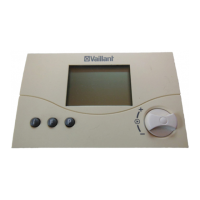
To set the current time and day of the
week with the display in normal mode,
you must perform the following steps:
• Press the dial until a day of the week
starts flashing.
• Turn the dial until you see the current
day of the week.
MO = Monday
TU = Tuesday
WE = Wednesday
TH = Thursday
FR = Friday
SA = Saturday
SU = Sunday
• Press the dial. The hours start flashing.
• Turn the dial until the required hour is
displayed.
• Press the dial. The minutes start
flashing.
• Turn the dial until the required minutes
are displayed.
The display switches back to normal
mode after five seconds.
If the calendar is activated on the
installer level, you can set the day,
month and year in the same way after
you set the time. This allows automatic
switching from winter to summer time.
4 Operation



 To Next Page