EasyManua.ls Logo

Vaillant VRT 350f - Page 15

Vaillant VRT 350f
40 pages
Print Icon
To Next Page IconTo Next Page
To Previous Page IconTo Previous Page
Loading...
Operating 4
0020131979_00 VRT 350f Operating instructions 15
Menu
Information
Desired temperatures
Time programmes
Back
Select
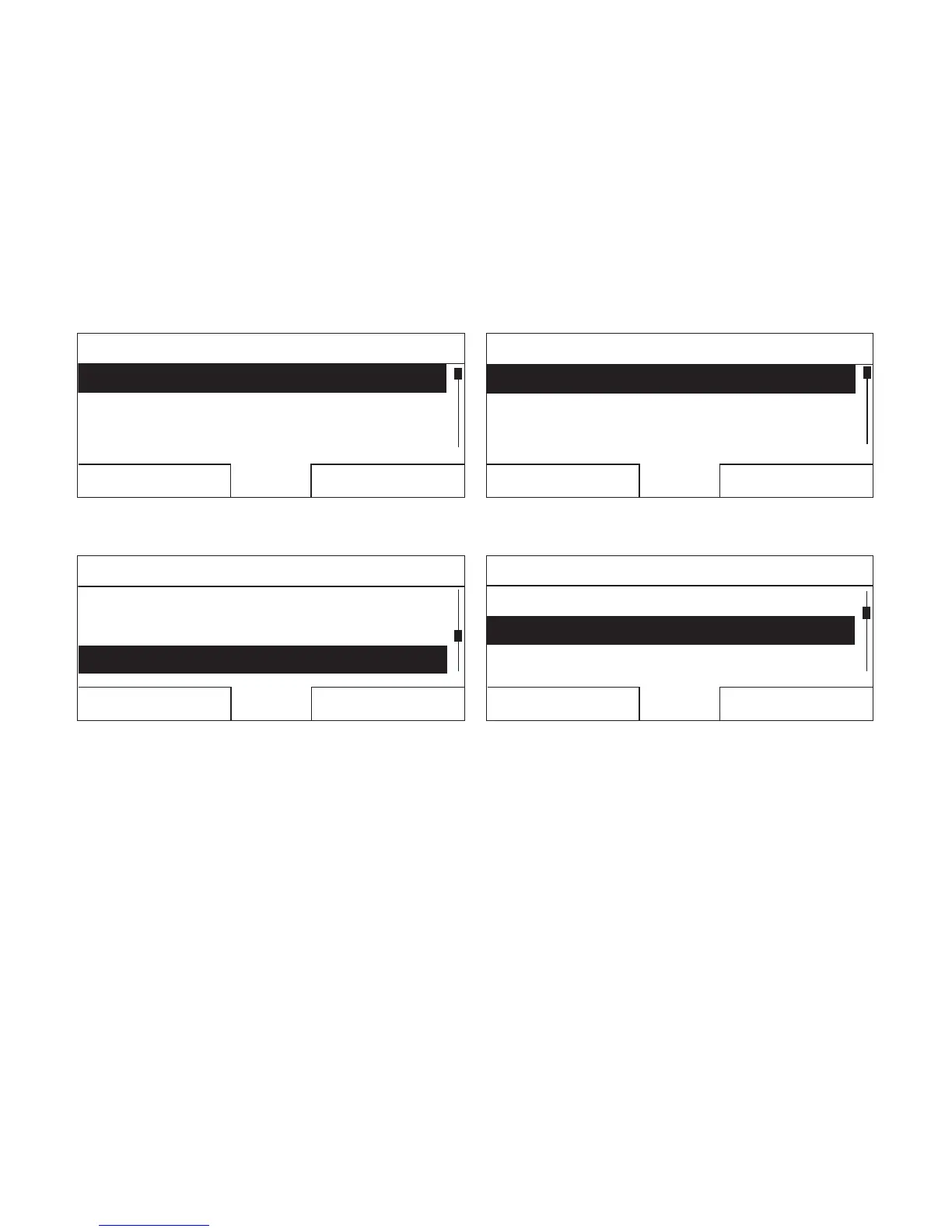
3. Turn the rotary knob until the Basic settings list entry
is highlighted.
Menu
Time programmesTime programmes
Days away scheduling
Basic settings
Back
Select
4. Press the right-hand selection button, Select.
The controller is now in selection level 2.
Basic settings
Language
Date / Time
Display
Back
Select
5. Turn the rotary knob until the Date/Time list entry is
highlighted.
Basic settings
LanguageLanguage
Date / TimeDate / Time
Display
Back
Select
6. Press the right-hand selection button, Select.
The controller is now in the Date setting level. The
value for the day is highlighted. The left-hand selec-
tion button now has the function Back (to go back to
the previous level), the right-hand selection button
has the function Change (the value).

Other manuals for Vaillant VRT 350f

Related product manuals