4 Operating
16 Operating instructions VRT 350f 0020131979_00
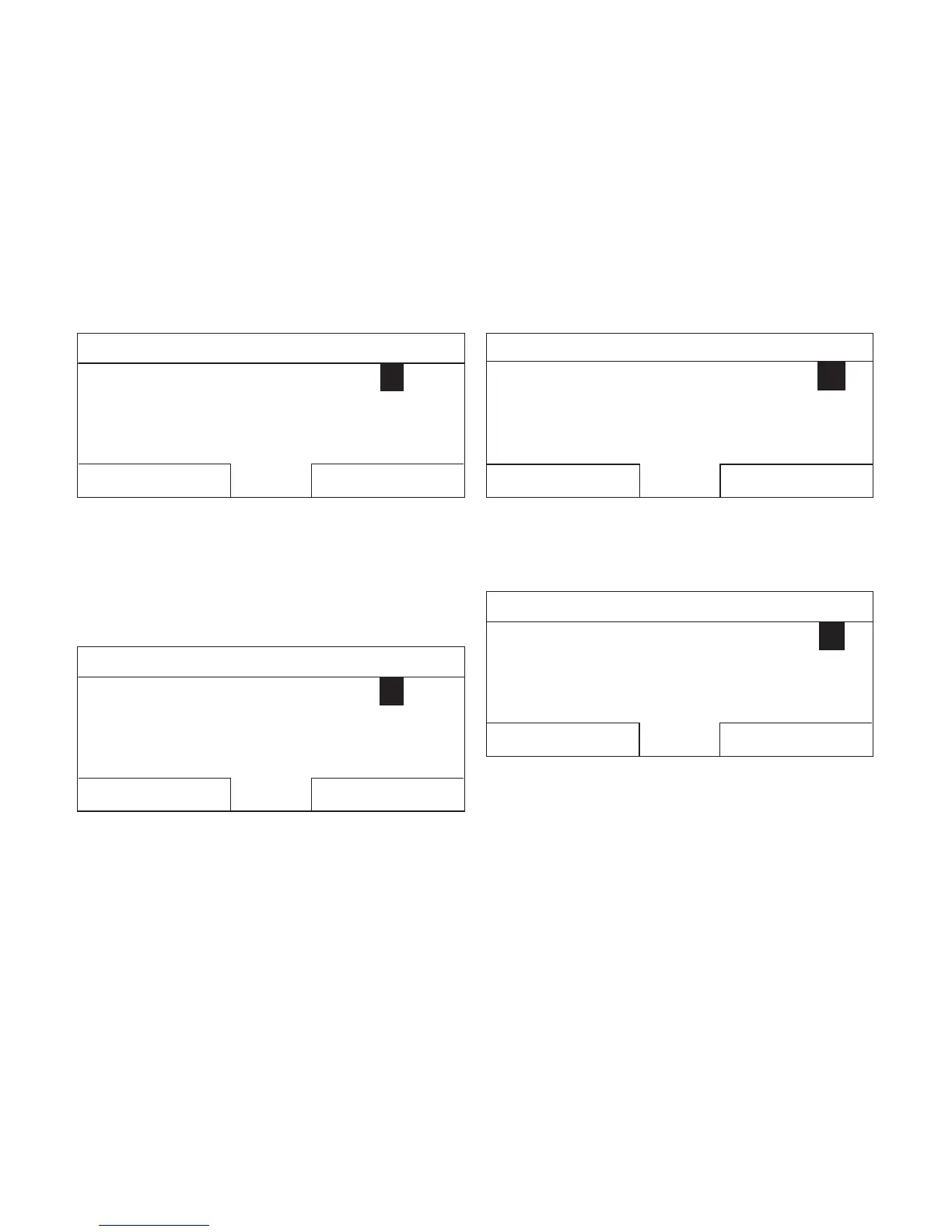
Date / Time
Time
Date
Daylight saving
:1508
13.03.11
Off
Back
Change
7. Press the right-hand selection button, Change.
◁ The highlighted value starts to flash; you can now
change the value by turning the rotary knob.
◁ The left-hand selection button now has the function
Cancel (the change); the right-hand selection button
has the function OK (to confirm the change).
Date / Time
Time
Date
Daylight saving
:1508
13.03.11
Off
Cancel
OK
8. Turn the rotary knob to change the value.
Date / Time
Time
Date
Daylight saving
:1508
14.03.11
Off
Cancel
OK
9. Press the right-hand selection button, OK, to confirm
the change.
◁ The controller has stored the changed date.
Date / Time
Time
Date
Daylight saving
:1508
14.03.11
Off
Back
Change
10. If the highlighted value that is flashing is correct, press
the right-hand selection button OK again.
◁ The left-hand selection button now has the function
Back.





 To Next Page