EasyManua.ls Logo

Vaisala HMP Series - User Manual

Vaisala HMP Series
118 pages
Print Icon
To Next Page IconTo Next Page
Loading...
M212022EN-F
User Guide
Vaisala Indigo compatible
humidity and temperature probes
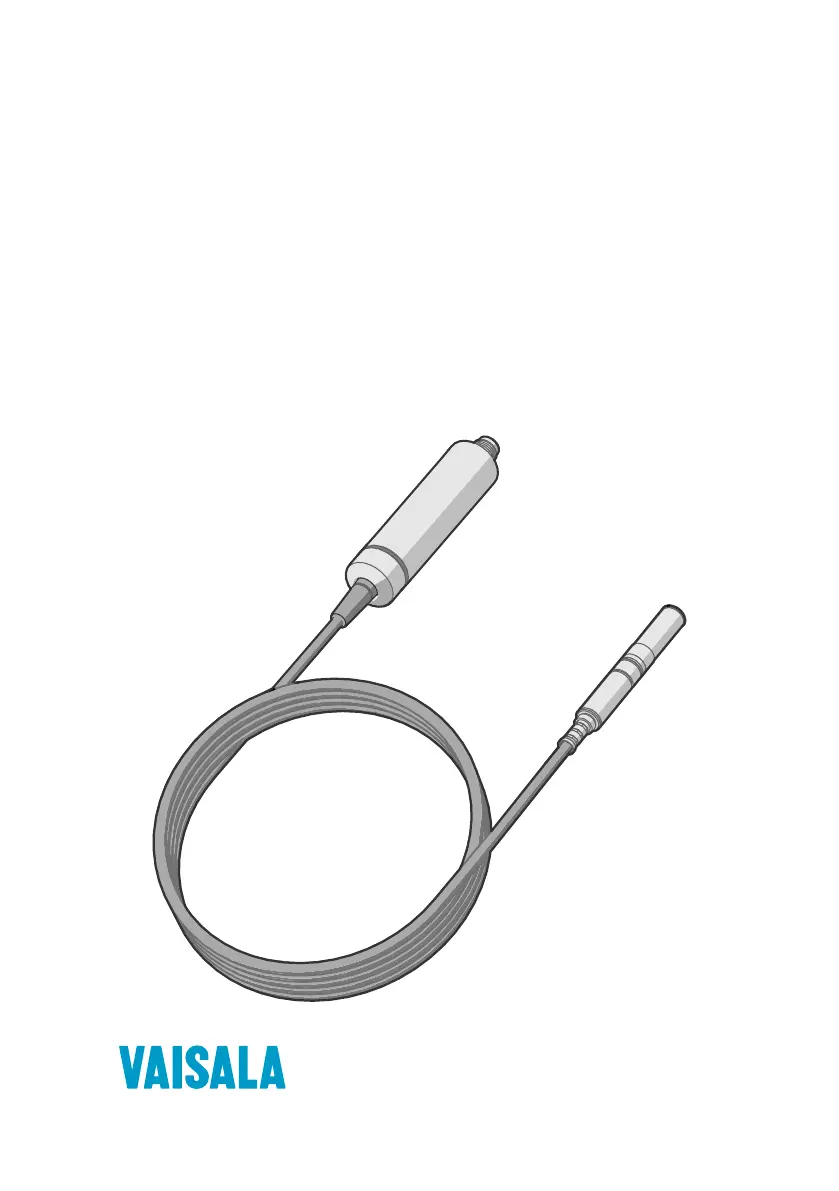
HMP Series with MMP8 and TMP1

Table of Contents

Questions and Answers

  • K
    karen42Aug 7, 2025
    Why Vaisala Test Equipment measurement output seems incorrect?
    • A
      Angela MoonAug 8, 2025
      Incorrect measurement output from your Vaisala Test Equipment can occur if the installation location doesn't accurately represent the conditions you're trying to measure. In this case, verify the installation location and relocate the probe if needed. Also, heat conduction along the probe head and cable might interfere with measurement accuracy. Finally, the probe may need calibration; in this case calibrate and adjust the probe.
  • N
    Nancy BrayAug 14, 2025
    What to do if values of measurement parameters stop changing for a few minutes in Vaisala HMP Test Equipment?
    • A
      Amy AndrewsAug 14, 2025
      If the measurement parameters in your Vaisala Test Equipment stop changing for a few minutes, it might be because the probe is performing a sensor heating function, such as chemical purge, or waiting for the sensor to cool down. In this case, wait for the function to complete, and the measurement parameters should become available again.
  • L
    Luis KellerAug 22, 2025
    What does it mean if probe status indicator LED is red in Vaisala HMP?
    • L
      Lori WoodAug 22, 2025
      If the probe status indicator LED on your Vaisala Test Equipment is red, it indicates that the probe is in an error state. To determine the specific error, connect the probe to Insight software or an Indigo transmitter and read the error message(s).
  • S
    Stephanie RobinsonAug 29, 2025
    How to understand that Vaisala HMP Test Equipment is working if the probe status indicator LED is off even though power is on?
    • M
      maureen39Aug 29, 2025
      If the probe status indicator LED is off on your Vaisala Test Equipment, even when the power is on, and if the probe model is HMP1, this is normal behavior. To prevent the warming of the indicator LED from causing a slight measurement error, HMP1 keeps the indicator normally off unless the probe is in an error state, in which case the red LED will be shown.

Summary

About this document

Version information

Details the document's revision history and content updates.

Documentation conventions

Explains symbols, formatting, and terminology used in the manual.

Trademarks

Lists registered and unregistered trademarks of Vaisala and other companies.

Product overview

Probe structure

Describes the physical components and layout of the humidity and temperature probes.

Basic features and options

Outlines the general capabilities and configurable settings of the probes.

Safety

Highlights crucial safety precautions for handling and operating the probes.

ESD protection

Details measures and precautions to prevent electrostatic discharge damage.

Functional description

HUMICAP technology

Explains the capacitive thin-film polymer sensor technology.

Chemical purge

Describes the sensor cleaning process to maintain performance.

Condensation prevention functions

Details features that prevent condensation on the sensor.

Installation

Wiring

Provides pinouts and wire color information for probe connections.

HMP1 probe

Presents specifications and installation details for the HMP1 probe model.

HMP3 probe

Presents specifications and installation details for the HMP3 probe model.

HMP4 probe

Presents specifications and installation details for the HMP4 probe model.

HMP5 probe

Presents specifications and installation details for the HMP5 probe model.

HMP7 probe

Presents specifications and installation details for the HMP7 probe model.

HMP8 probe

Presents specifications and installation details for the HMP8 probe model.

HMP9 probe

Presents specifications and installation details for the HMP9 probe model.

MMP8 probe

Presents specifications and installation details for the MMP8 probe model.

TMP1 probe

Presents specifications and installation details for the TMP1 probe model.

DTR502 B solar radiation shield

Details the protective shield for outdoor probe installations.

Configuration with Insight software

Connecting to Insight software

Guides users on establishing a connection with the Insight configuration software.

Configuration options

Explains the settings and parameters available for probe configuration.

Diagnostics in Insight

Describes how to access and interpret diagnostic data from probes via Insight.

Using probe with Indigo transmitters

Indigo200 series transmitters

Explains how to connect and use probes with Indigo200 transmitters.

Indigo500 series transmitters

Explains how to connect and use probes with Indigo500 transmitters.

Maintenance

Cleaning the probe

Provides instructions and precautions for cleaning the probe sensor and body.

Calibration and adjustment

Outlines the process for ensuring measurement accuracy through calibration.

Adjusting measurement with Insight software

Details humidity/temperature adjustment using Insight software.

Troubleshooting

Problem situations

Lists common issues, their causes, and recommended solutions for troubleshooting.

Error messages

Explains various error codes and their meanings for diagnostics.

Technical Data

HMP1 specifications

Lists the technical performance data and characteristics for the HMP1 probe.

HMP3 specifications

Lists the technical performance data and characteristics for the HMP3 probe.

HMP4 specifications

Lists the technical performance data and characteristics for the HMP4 probe.

HMP5 specifications

Lists the technical performance data and characteristics for the HMP5 probe.

HMP7 specifications

Lists the technical performance data and characteristics for the HMP7 probe.

HMP8 specifications

Lists the technical performance data and characteristics for the HMP8 probe.

HMP9 specifications

Lists the technical performance data and characteristics for the HMP9 probe.

MMP8 specifications

Lists the technical performance data and characteristics for the MMP8 probe.

TMP1 specifications

Lists the technical performance data and characteristics for the TMP1 probe.

Accessories and spare parts

Lists available accessories, spare parts, and calibration products.

Appendix A. Modbus reference

Default communication settings

Specifies the standard serial communication parameters for Modbus.

Modbus registers

Provides an overview of Modbus register organization and addressing.

Modbus communication examples

Illustrates typical Modbus read/write command sequences.

Maintenance and calibration services

Technical support

Vaisala HMP Series Specifications

General IconGeneral
Measurement ParametersRelative humidity and temperature
Measurement range, Humidity0 to 100% RH
Supply voltage10 to 30 VDC
Operating Humidity0 to 100% RH (non-condensing)
Protection ClassIP65
Accuracy, Temperature±0.2°C (at 20°C)

Related product manuals