EasyManua.ls Logo

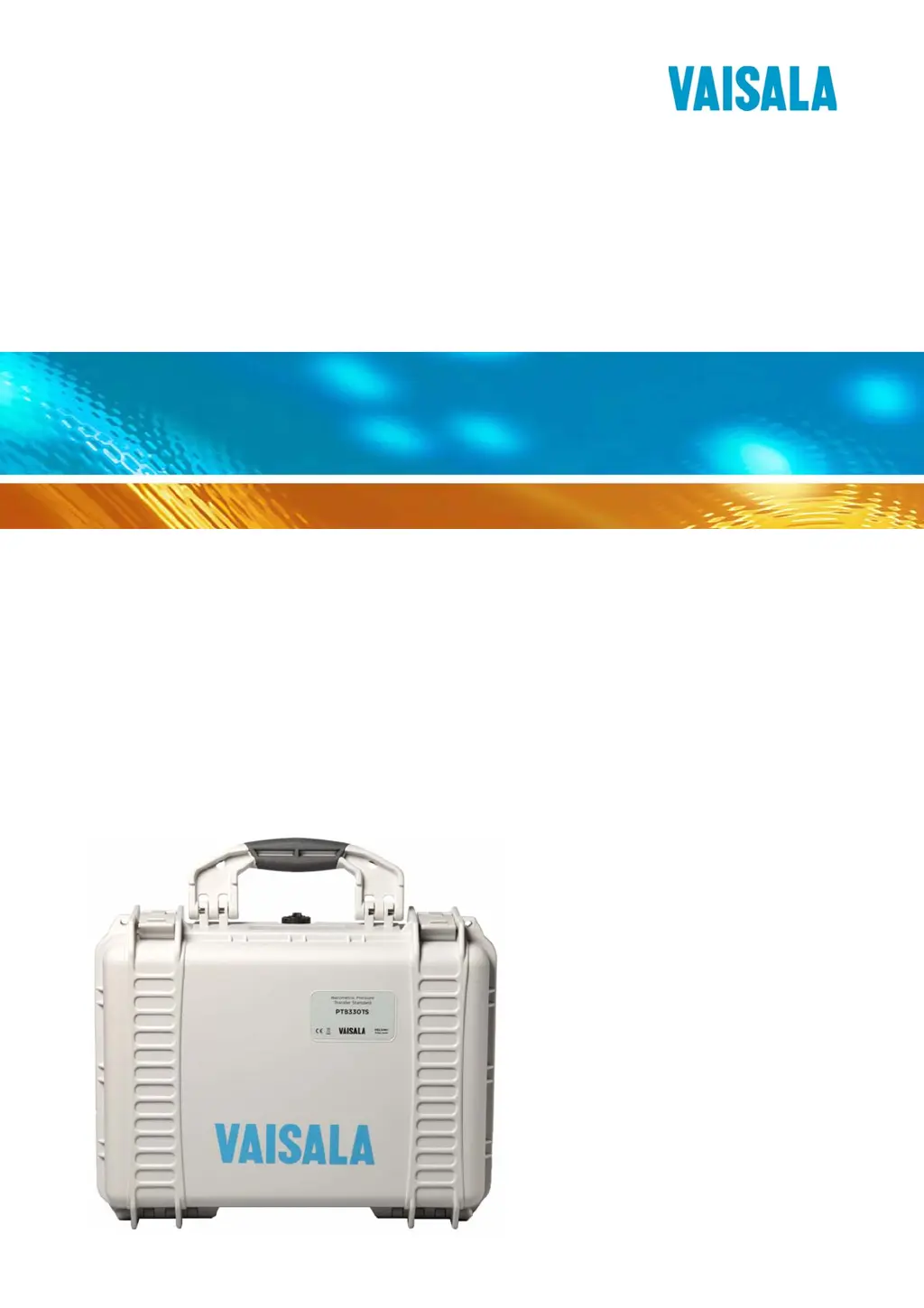
Vaisala PTB330TS - User Manual

Vaisala PTB330TS
89 pages
Print Icon
To Next Page IconTo Next Page
Loading...
USER'S GUIDE
Vaisala Barometric Pressure Transfe
r
Standard
PTB330TS
M210983EN-A

Table of Contents

Questions and Answers

  • M
    Melinda ElliottAug 15, 2025
    Why does my Vaisala Test Equipment MI70 power off by itself?
    • K
      Kristin BrownAug 15, 2025
      The MI70 might be powering off by itself because: * The Auto Power Off feature is enabled. You can turn off this feature from the Settings - User interface menu if you want to. * The battery of the MI70 has run out. Recharge the battery or change the non-chargeable batteries (if used).
  • W
    William BrooksAug 18, 2025
    What to do if Vaisala Test Equipment MI70 displays "Switch off power and connect probe"?
    • G
      Gregory BarnesAug 18, 2025
      If the message "Switch off power and connect probe" appears on the MI70 display, it could be due to: * Measurement instruments not connected. Turn off MI70 and connect PTB330 and/or HMP155. * Loose cable connection. Turn off MI70 and tighten the connectors. * Incorrect cable. Check that you are using the spiral cable 223235SP between MI70 and PTB330, and cable 221801 between MI70 and HMP155.
  • V
    Victoria JonesAug 21, 2025
    What does "Pressure out of valid range" mean on Vaisala PTB330TS PTB330?
    • F
      fmcgeeAug 21, 2025
      The message "Pressure out of valid range" appearing when PTB330 is connected means that the pressure measured by the barometer is outside the specified measurement range 500 ... 1100 hPa. To resolve this, do not operate the barometer outside the measurement range.
  • A
    Alexander BennettAug 25, 2025
    Why is Vaisala PTB330TS Test Equipment HMP155 measuring incorrect humidity?
    • K
      Kim RivasAug 25, 2025
      If the HMP155 is measuring incorrect humidity readings, the possible causes are: * Condensation has formed on the sensor. Activate the chemical purge function to dry it. * There may be a temperature difference between the HMP155 and the measurement environment. Let the temperature stabilize.
  • J
    Jonathan BradyAug 27, 2025
    Why does Vaisala PTB330TS MI70 display dashes instead of readings?
    • A
      ashleehallAug 27, 2025
      If the measurement reading on the MI70 display shows dashes "----" instead of measured values, it could be because: * You have selected P (pressure trend and tendency) as 3h one of the measured quantities. Wait patiently, and make sure the Auto Power Off feature is disabled in the Settings - User interface menu. * The measurement instrument has been disconnected. Turn off the MI70 and reconnect it.
  • C
    Curtis CohenAug 30, 2025
    What to do for "Operating voltage out of range" on Vaisala PTB330TS PTB330?
    • E
      Eric ReynoldsAug 30, 2025
      If the message "Operating voltage out of range" appears when PTB330 is connected and powered by an external power source, it indicates that the supply voltage of the barometer is outside the correct range. Change the supply voltage to 10 ... 35 VDC.
  • S
    Shirley HernandezSep 2, 2025
    Why does Vaisala PTB330TS PTB330 serial output show asterisks instead of values?
    • M
      Michael FisherSep 2, 2025
      If you see asterisk characters (****) instead of measured values when outputting measurement messages on the PTB330 serial line, it could be due to: * You have selected P (pressure trend and tendency) as 3h one of the quantities in the measurement message. Wait patiently, and make sure the Auto Power Off feature is disabled in the Settings - User interface menu of the MI70 indicator. * There may be a problem with the measurement. Check the display of the MI70 for messages.
  • C
    crystal32Sep 5, 2025
    What does "Difference between pressure transducers too large" mean on Vaisala PTB330TS PTB330?
    • K
      Kevin FergusonSep 5, 2025
      If the message "Difference between pressure transducers too large" appears when PTB330 is connected and more than one module is used, it could be because: * All barometer modules may not be measuring the same pressure. Open the barometer and check the tubing to the pressure input connector. * The allowed pressure difference may be set too low. Connect to the service port of the barometer and use the DPMAX command to check the value.
  • A
    aweaverSep 8, 2025
    How to fix "Add-on module connection failure" on Vaisala PTB330TS Test Equipment PTB330?
    • C
      christophermartinezSep 8, 2025
      If the message "Add-on module 1/2/3 connection failure" appears when PTB330 is connected, it is likely due to a loose connection of an add-on module. To fix this, turn off the power, and open the barometer. Check that the ribbon cables of the modules are securely connected. Close the barometer and turn on the power.
  • A
    Alan WilsonSep 12, 2025
    What does "Device internal temperature out of range" mean for Vaisala PTB330TS Test Equipment PTB330?
    • M
      Michelle SnowSep 12, 2025
      The message "Device internal temperature out of range" appearing when PTB330 is connected indicates that the barometer is either too hot or too cold. Ensure that the operating temperature is within the valid range.

Summary

General Information

Safety and ESD Precautions

Highlights important safety information, product precautions, and Electrostatic Discharge (ESD) risks.

Warranty Information

Details Vaisala's warranty terms and conditions for the product.

Operation

MI70 Indicator Basics

Covers the basic use, keypad, display, and menus of the MI70 indicator.

Measurement Procedures

Guides on measuring barometric pressure and humidity/temperature.

Maintenance

Calibration and Adjustment

Detailed procedures for calibrating and adjusting PTB330 and HMP155 sensors.

Troubleshooting

Troubleshooting Chart

Provides likely causes and solutions for common problems encountered with the PTB330TS.

Serial Line Communication

PTB330 Serial Commands

Comprehensive list and explanation of PTB330 serial commands for measurement, settings, and control.

Technical Data

Performance Specifications

Details measurement range, linearity, hysteresis, repeatability, and accuracy of the PTB330.

Vaisala PTB330TS Specifications

General IconGeneral
BrandVaisala
ModelPTB330TS
CategoryTest Equipment
LanguageEnglish

Related product manuals