User's Guide ______________________________________________________________________
26 ___________________________________________________________________M210983EN-A
0704-034
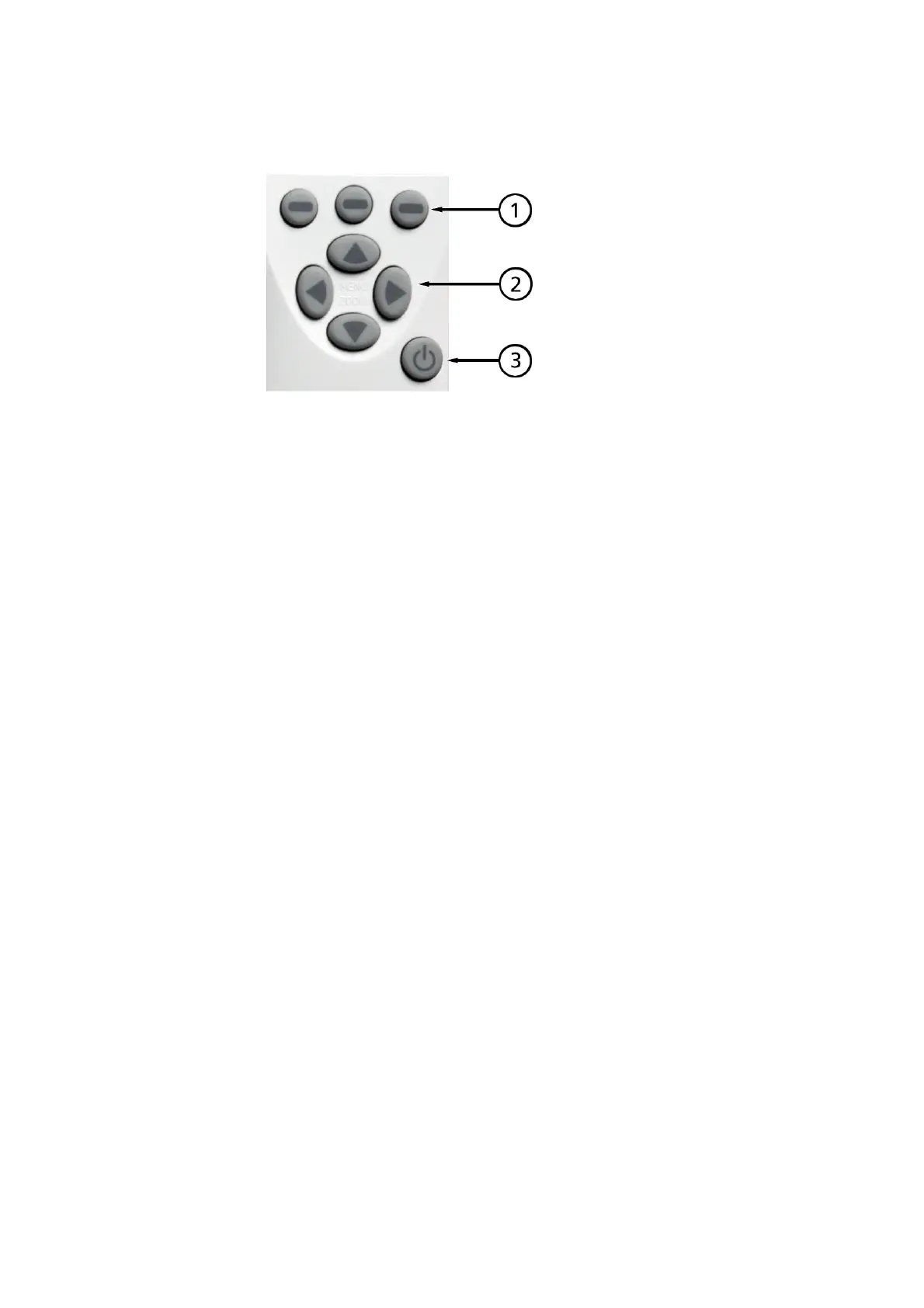
Figure 8 MI70 Keypad
Numbers refer to Figure 8 on page 26:
1 = Shortcut buttons: press to activate the function shown above
the button
2 = Arrow buttons: for navigating the menus, and zooming the
view when in graph mode. To open the main menu while in
basic view, press any arrow key, followed by the middle
shortcut button.
3 = Power button: press until the indicator turns on/off. If data
recording is underway, it will continue in the background even
if the indicator is turned off.



 To Next Page