Valley Classic Control Panel
22
Overview
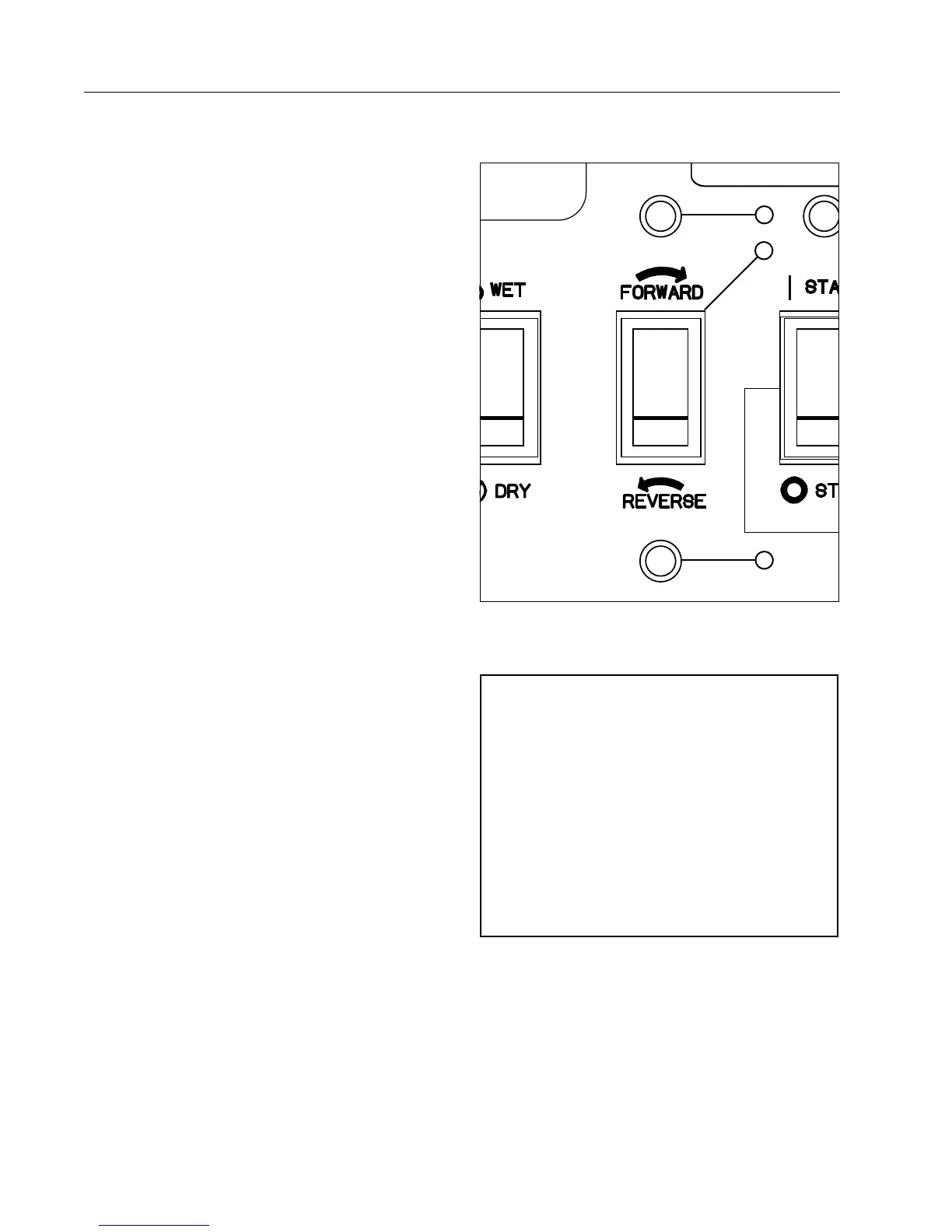
Forward / Reverse Switch
The forward / reverse switch controls the direction of
machine movement, assuming all safety circuits are
complete.
Without AR/AS Option
If the control panel is NOT equipped with Auto Reverse
/Auto Stop, the forward / reverse switch will have two
positions, forward or reverse.
The forward and reverse lights are NOT available
without the AR/AS option. See Figure 22-1.
The direction of travel can be changed while the ma-
chine is moving or selected before start-up.
• In the Forward position, the machine will run in for-
ward or clockwise around the field when started.
See Figure 22-1.
• In the Reverse position, the machine will run in re-
verse or counter clockwise around the field when
started. See Figure 22-1.
With AR/AS Option*
If the control panel IS equipped with Auto Reverse/
Auto Stop, the forward / reverse switch is spring
loaded to return to the neutral position when released
from either the forward or reverse positions.
The forward and reverse lights are included with the
AR/AS option to indicate which direction the machine
is moving. See Figure 22-1.
The direction of travel can only be selected or
changed when the Start-Stop switch in the RUN
position.
• When the switch is depressed into the forward
position, the forward direction is selected, the for-
ward light is lit and the machine will run in forward
or clockwise around the field. See Figure 22-1.
• When the switch is depressed into the reverse
position, the reverse direction is selected, the re-
verse light is lit and the machine will run in reverse
or counter clockwise around the field. See Figure
22-1.
* Only available on control panels equipped with Auto Reverse/
Auto Stop.
CAUTION
DANGER
High Voltage!
480 Volts can kill.
Lock Machine Power
in the “OFF” position
before opening cover.
0997326
Do not operate system when temperature
is below 40° F (4.5° C)
Read and understand the valley operator
manual before operating this equipment.
CAUTION
0997300
CAUTION
DO NOT HOLD BUTTON DEPRESSED
LONGER THAN 3 SECONDS. REPEATED
START ATTEMPTS CAN CAUSE SERIOUS
STRUCTURAL DAMAGE
0997302
OFF
ON
TEST
Classic
1
2
3
Figure 22-1 1. Forward / Reverse Switch
2. Forward Indicator Light
3. Reverse Indicator Light
NOTE
• When the control panel is equipped with the
Auto Reverse/Auto Stop option:
» If the machine stops running for some
reason, the forward or reverse lights will
indicate which direction the machine was
last running.
» If the machine is powered by an engine gen-
erator that has stopped, when the power is
restored to the control panel the forward or
reverse lights will indicate which direction
the machine was last running.



 To Next Page