Initial Installation
Before Surgery
RapidVac™ Smoke Evacuator User’s Guide 3-3
4. The smoke evacuator performs a self test. Verify that all LEDs are illuminated
during the test. When the test is complete, the RapidVac is placed in standby
mode signified by an illuminated power on LED within the fan symbol and no
active suction.
5. (Optional) Connect the RapidVac Remote Switch Activator (SEA3740) to the
Remote Switch jack on the back panel of the smoke evacuator. Use only the
RapidVac Remote Switch Activator. Other remote units are not compatible.
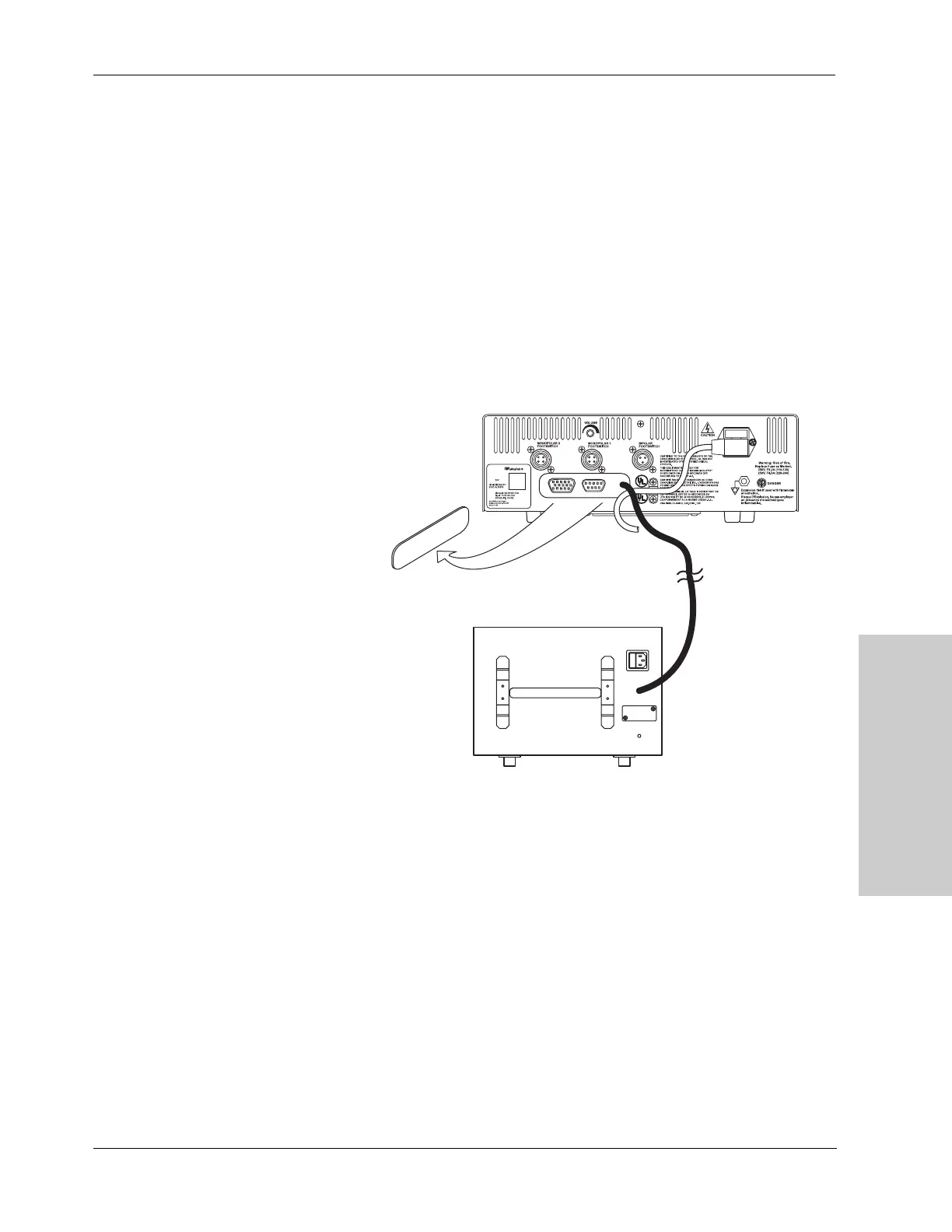
6. (Optional) Connect the Generator Interlink Cable (SEA3730) to the Remote
Switch jack on the back panel of the smoke evacuator. and to the rear panel of
the compatible Valleylab generator. Use only the Valleylab Interlink Cable.
Other cables may not be compatible.
7. (Optional) Connect the RapidVac Footswitch to the front panel of the smoke
evacuator. Use only Valleylab footswitches with the RapidVac Smoke
Evacuator.



 To Next Page