ValueHD Corporation
18
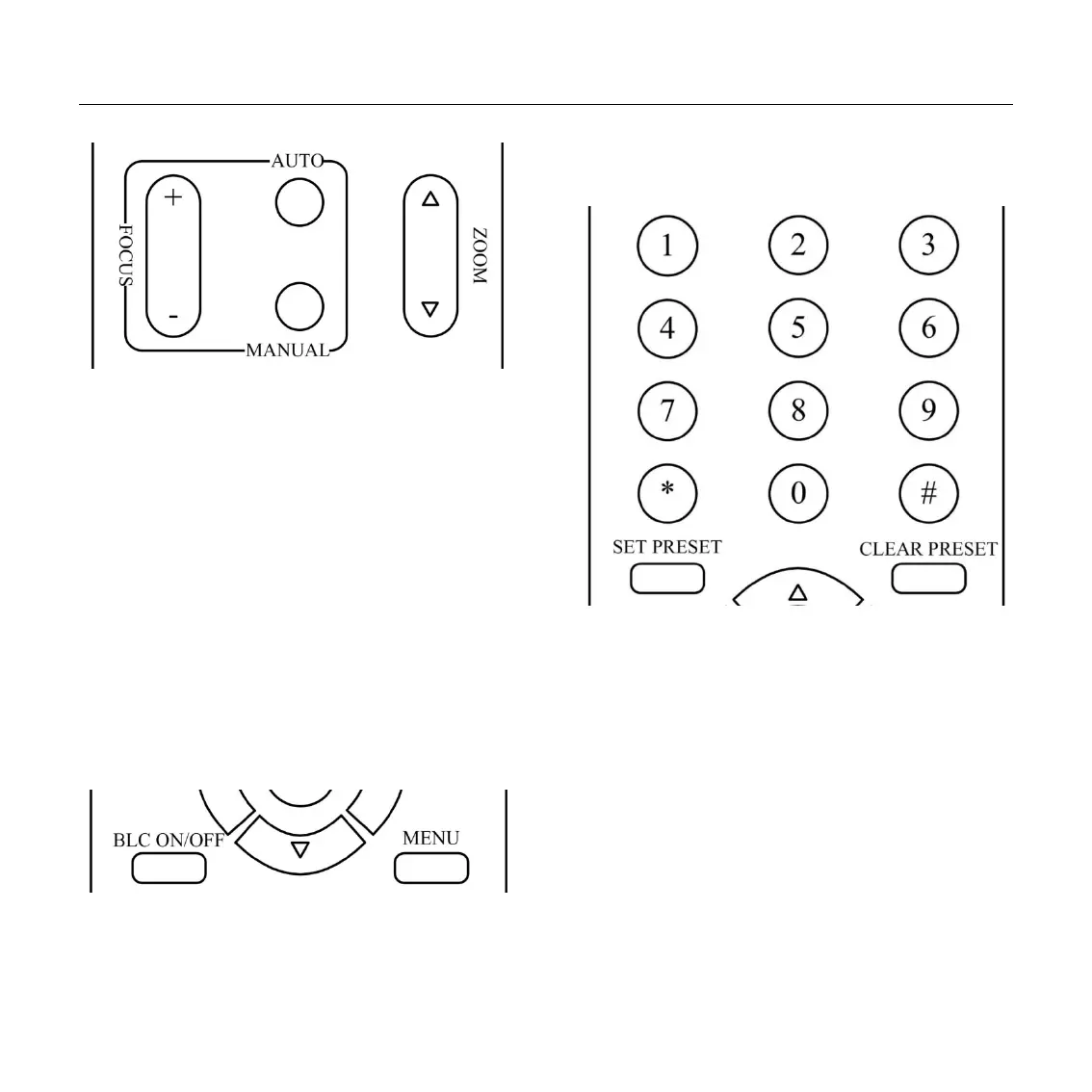
3. Focus Control
Focus Far: Press [FOCUS+] button (NOTE:
Effective only in manual focus mode)
Focus Near: Press [FOCUS-] button (NOTE:
Effective only in manual focus mode)
Press and hold the button, the action of focus
continues and stops as soon as the button is released.
AUTO: Change focus mode to AF, adjusting the
focus automatically.
MANUAL: Change focus mode to MF, adjusting the
focus manually.
4. Backlight Switch
BLC ON/OFF: Press this button to enable the
backlight compensation. Press it again to disable the
backlight compensation. (Note: Backlight is only
effective in full auto exposure mode)
5. Presets Set/Clear
1. To store a preset position: The users should
press the [SET PRESET] button first and then press
the numeric button 0-9.
10 preset positions in total are available.
2. To erase the memory content of a preset
position: The users should press the [CLEAR
PRESET] button first and then press the numeric
button 0-9.
Note:
Press [*]+[#]+[CLEAR PRESET] will erase all
preset individually positions in the memory.


 To Next Page