ValueHD Corporation
38
When port mapping, need to be consistent with the
port number(default port: 80)
B. RTSP Port
Network camera support RTSP protocol, use the
VLC tools broadcast.
C. PTZ Port
Support PTZ protocol, default port: 5678.
3) Control Protocol Setting
Setting camera control communication protocol,
include Visca address, Pelco-D address, Pelco-P
address.
4) RTMP Setting
Setting the camera stream, can set up two stream,
in the two stream selection control code stream of
"On", "Off", "Video", "Audio", etc.
5) RTSP Setting
Setting network camera rtsp protocol of "On",
"Off".
6) ONVIF Setting
Setting the ONVIF protocol and ONVIF
authorization "On", "Off".
7) Multicast Setting
Setting multicast "On", "Off",and multicast
address(default address 224.1.2.3)and port(default
6688)
8) Apply / Cancel
Modify network parameters then press "Apply"
button to modify network parameters, press
"Cancel" button to cancel network parameters.
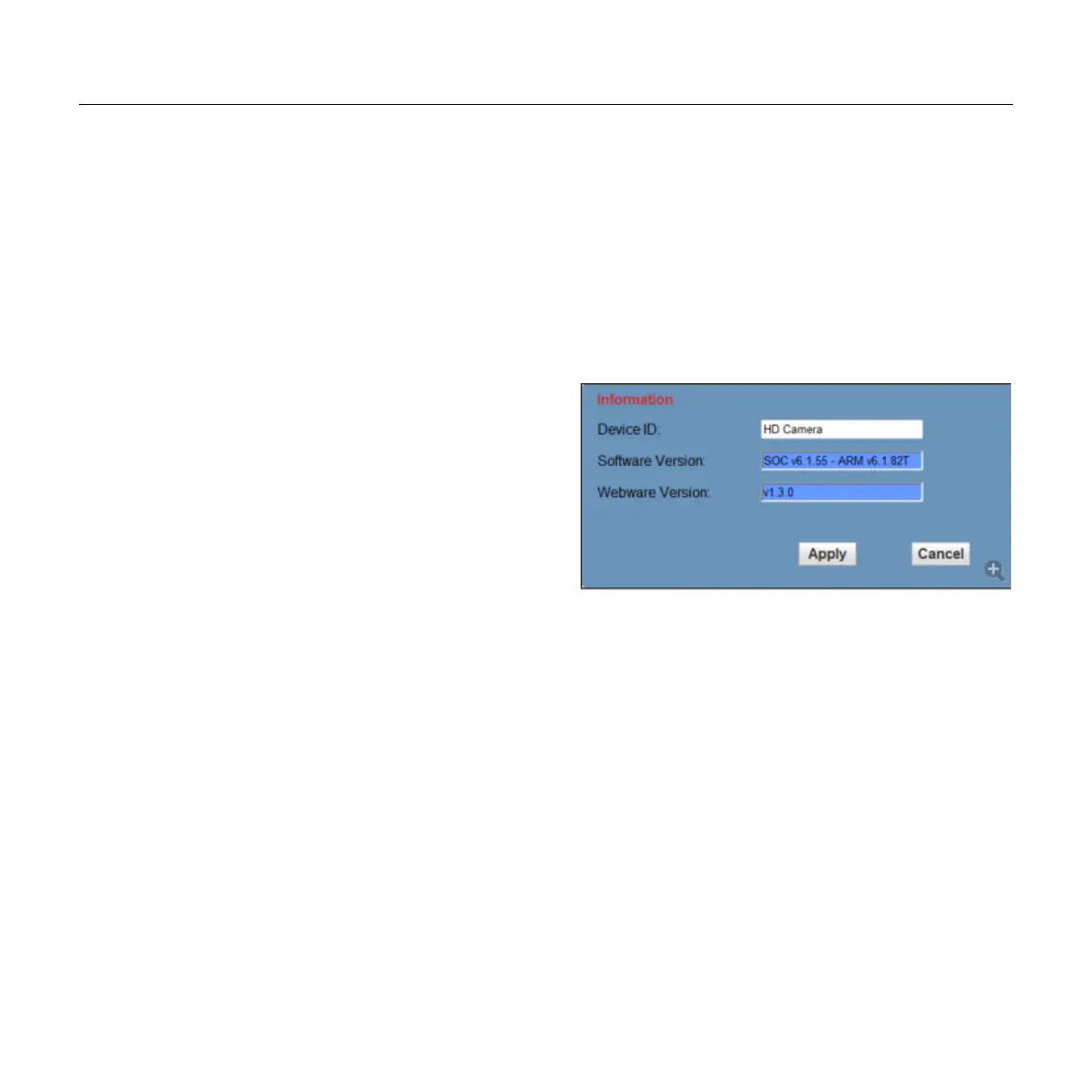
6.7 Device Information, please click
“information”
Show the current device information, as shown
below.
Note:
Software version may not be the latest version of
the current, please release version shall prevail.
7 Download the Network upgrade
program
If you need the camera upgrade program, please
contact the manufacturer.


 To Next Page