ValueHD Corporation
37
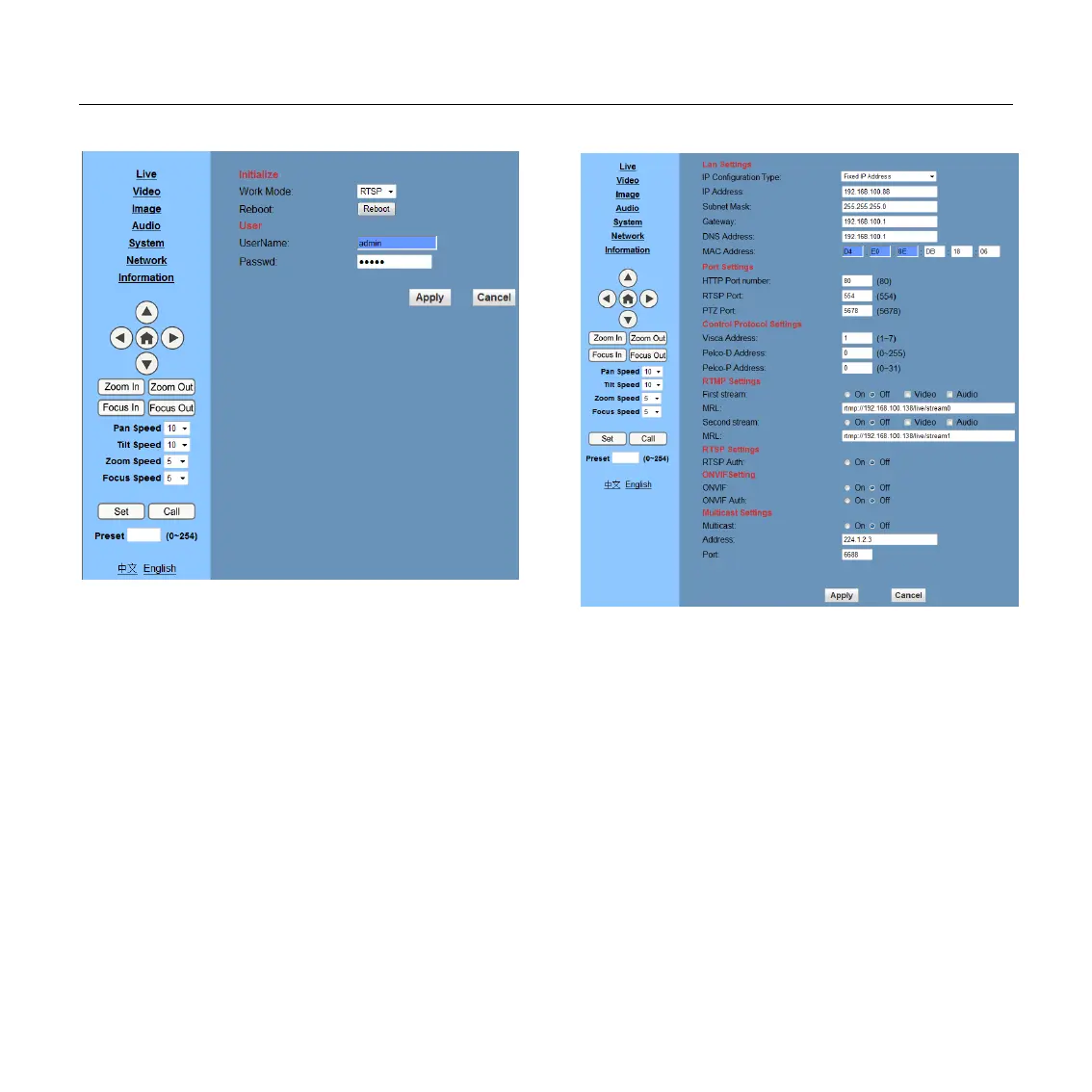
6.5 System Setting, please click “System”
1) Work Mode
Work Mode RTSP
2) Reboot
Click the "Reboot" button, system restart.
3) User and password
The user can modify the password (letters and
Numbers only)
4) Apply / Cancel
Modify password and click the "apply" button to
the login page, press "cancel" button to cancel
password change.
6.6 Network Setting, please click “Network”
1) Lan Settings
Default the IP address is 192.168.100.88, The
MAC address can be modified.
2) Port Settings
A. HTTP Port
IP address identifies the network device, the
device can run multiple web applications, each
network program using network port to transmit data,
so data transmission to be carried out between the
port and port. Port setting is to set up WEB
SERVER program using which port to transmit.


 To Next Page