VEA 3CGi Ethernet adapter
User’s manual
VAMP Ltd
3.2. VEA 3CGi to the relay and Ethernet
network
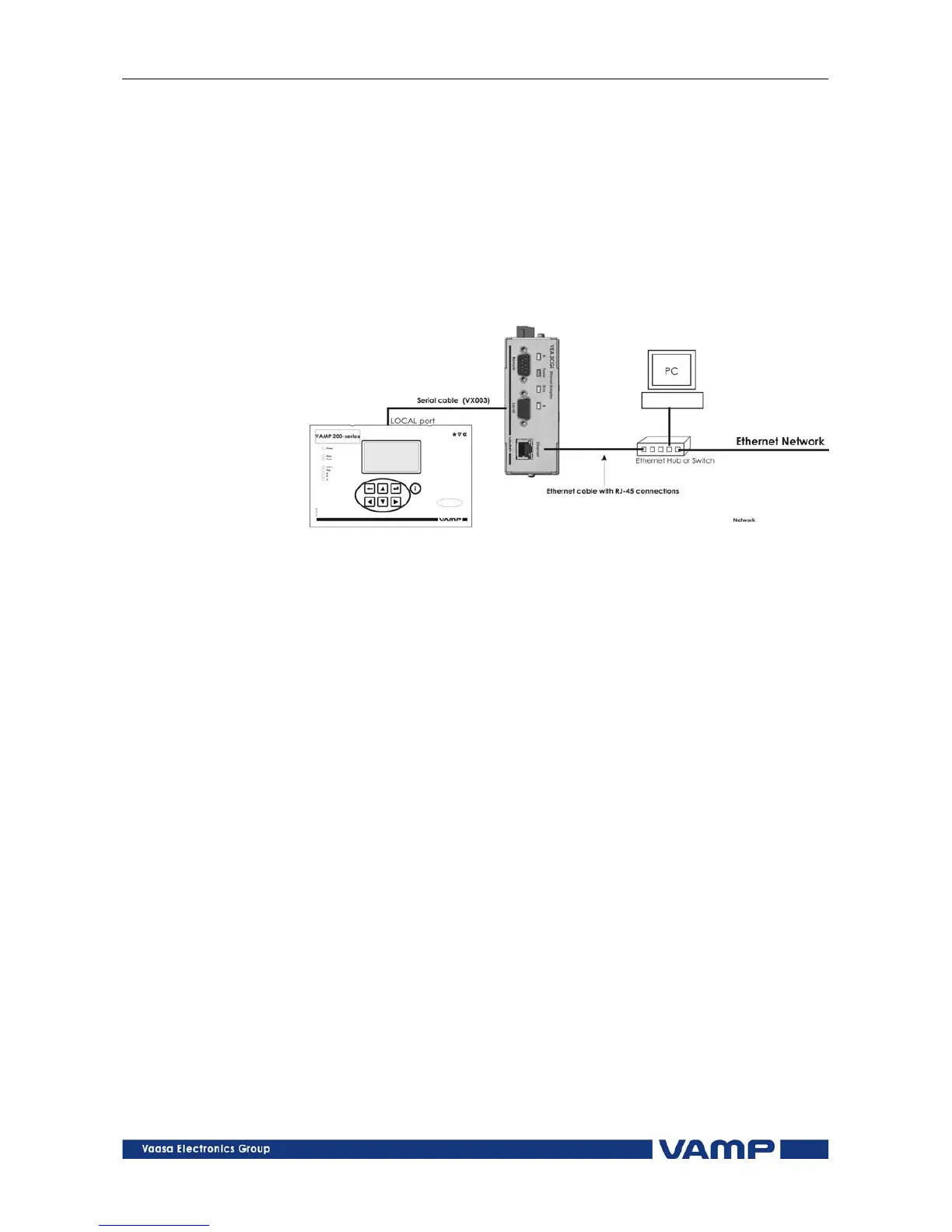
Connect VEA 3CGi to a 200-series relay’s LOCAL serial port
with cable VX003 . Connect the VEA 3CGi and the PC to an
Ethernet Switch (see Figure 3.2-1 ). Connection to 100-series
relays is done with VX015 cable and connection to VAMP 40 is
done with VX030 cable.
Figure 3.2-1 Connecting VEA 3CGi to the VAMP relay and PC
10
Vamp 24h support phone : +358 (0)20 753 3264
VMVEAi.EN001



 To Next Page