VAMP Ltd Ethernet adapter
User’s manual
VEA 3CGi
3.3. VAMPSET communication over the
Ethernet Network
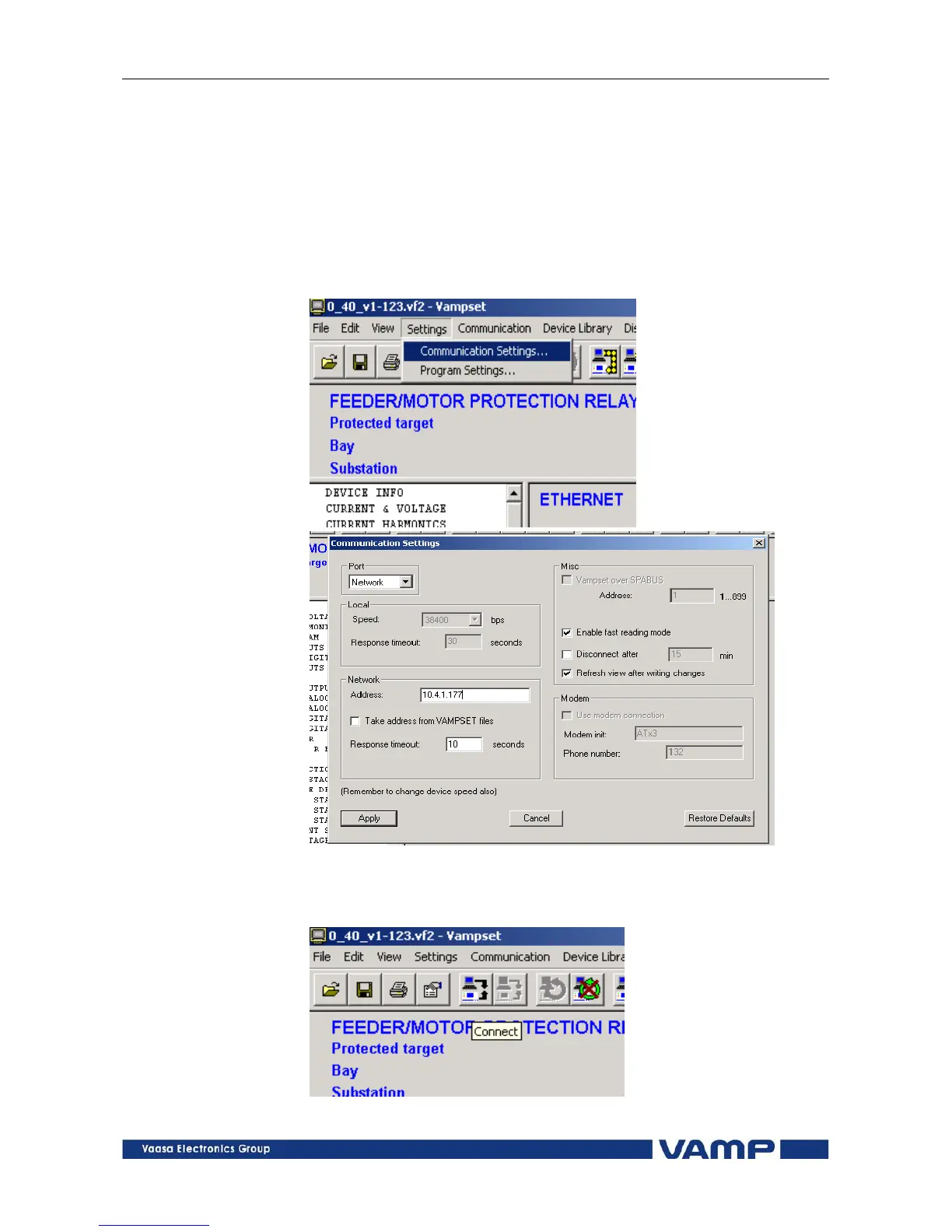
Change the Communication settings of the VAMPSET software
as shown in Figure 3.3-1. Set parameter Port = Network and
set the Network Address = IP Address selected in the relay
settings. Press “Apply” button and then activate Connection to
the relay (see Figure 3.3-2).
Figure 3.3-1 Changing the communication settings of the VAMPSET
software
Figure 3.3-2 Button for activating connection to the relay
VMVEAi.EN001



 To Next Page