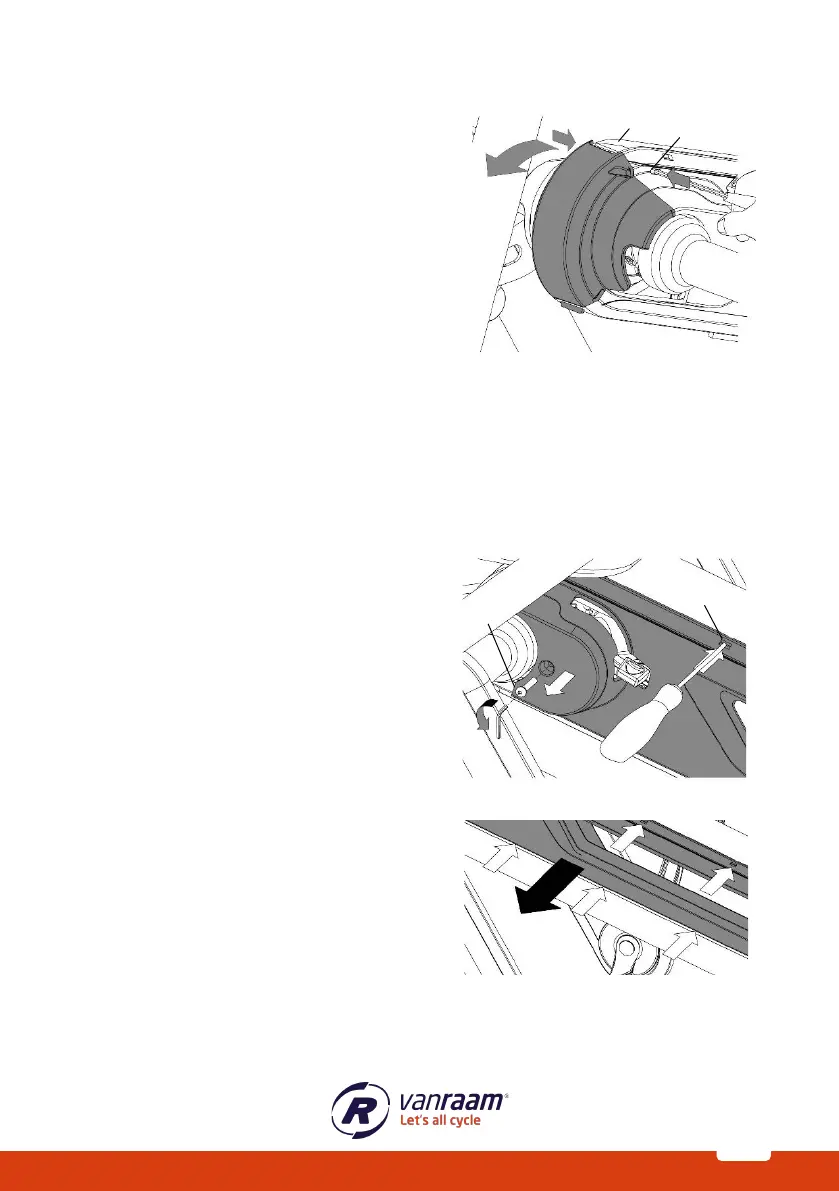
Removing the front cover
Follow these steps to remove the front cover of
the chain guard:
1. Press the locking tabs [A] and [B] inward
with a flathead screwdriver.
2. The front cover is now unlocked and can
be rotated away.
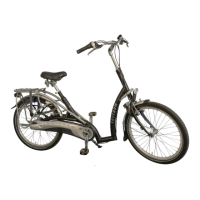
Removing the middle cover
To access the long chain, it is necessary to remove the left side of the middle cover. In
most cases, the right side of the middle cover does not need to be removed as it is
screwed onto the frame.
Follow these steps to remove the left side:
1. Use an Allen key to loosen screw [A].
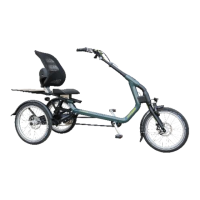
2. Then, use a small flathead screwdriver
to release the 6 locking tabs.
3. Carefully pull the chain guard away
while releasing the locking tabs one by
one, working from front to back.



 To Next Page