13
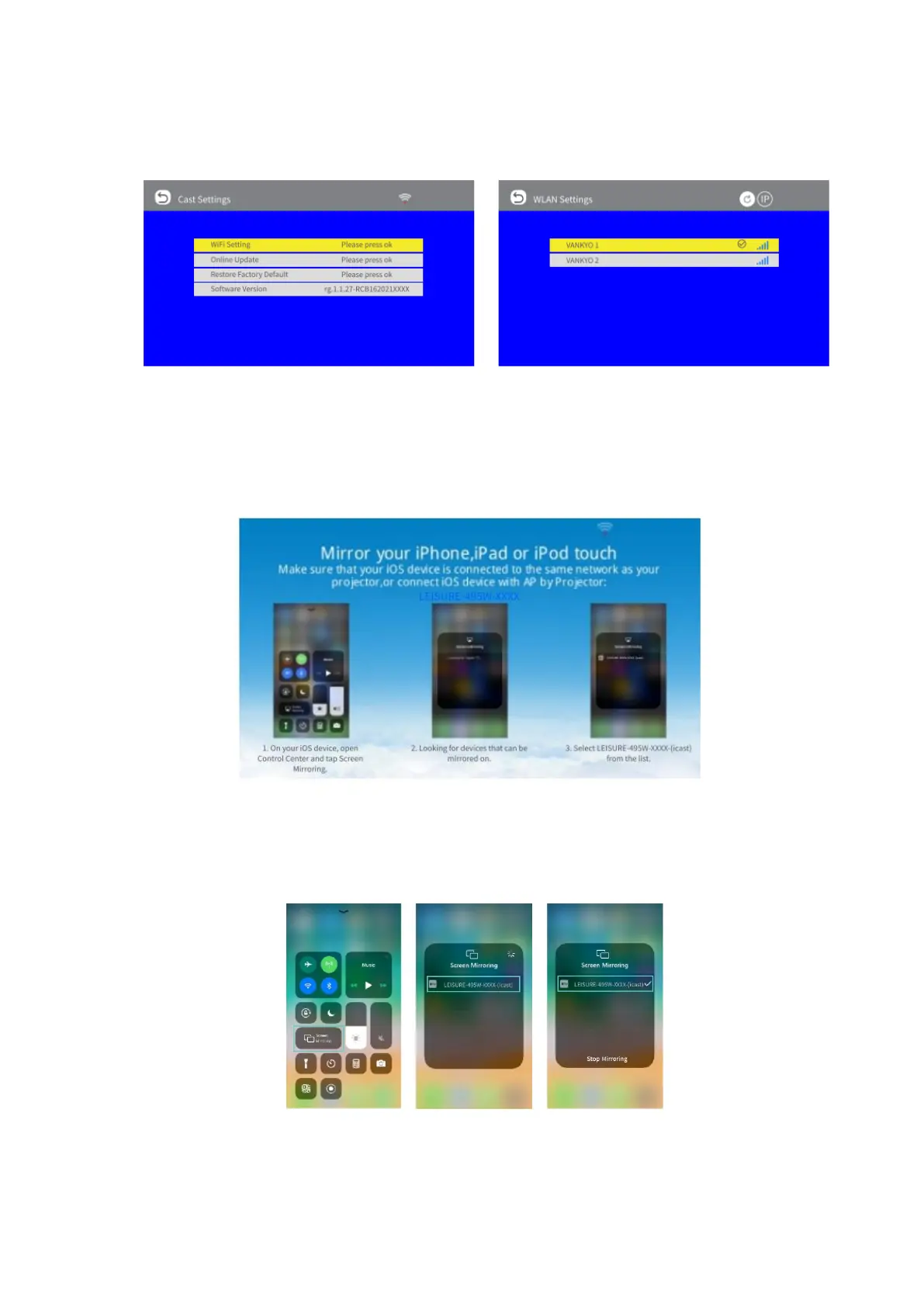
• Select Cast Setting > WiFi Setting to search and connect the projector to your
router´s WiFi
• Enter WiFi settings of your iOS device and connect it to the same router´s
WiFi
• Return the screen back to CAST interface, then select iOS Cast to enter the
following interface.
• Activate Screen Mirroring/AirPlay Mirroring in the Control Center of your iOS
device and search of the projector
• Select LEISURE-495W-XXXX-(icast) from the searching list to connect.
• The contents on your iOS device will be mirrored to the wall/screen after a
successful connection.













 To Next Page