15
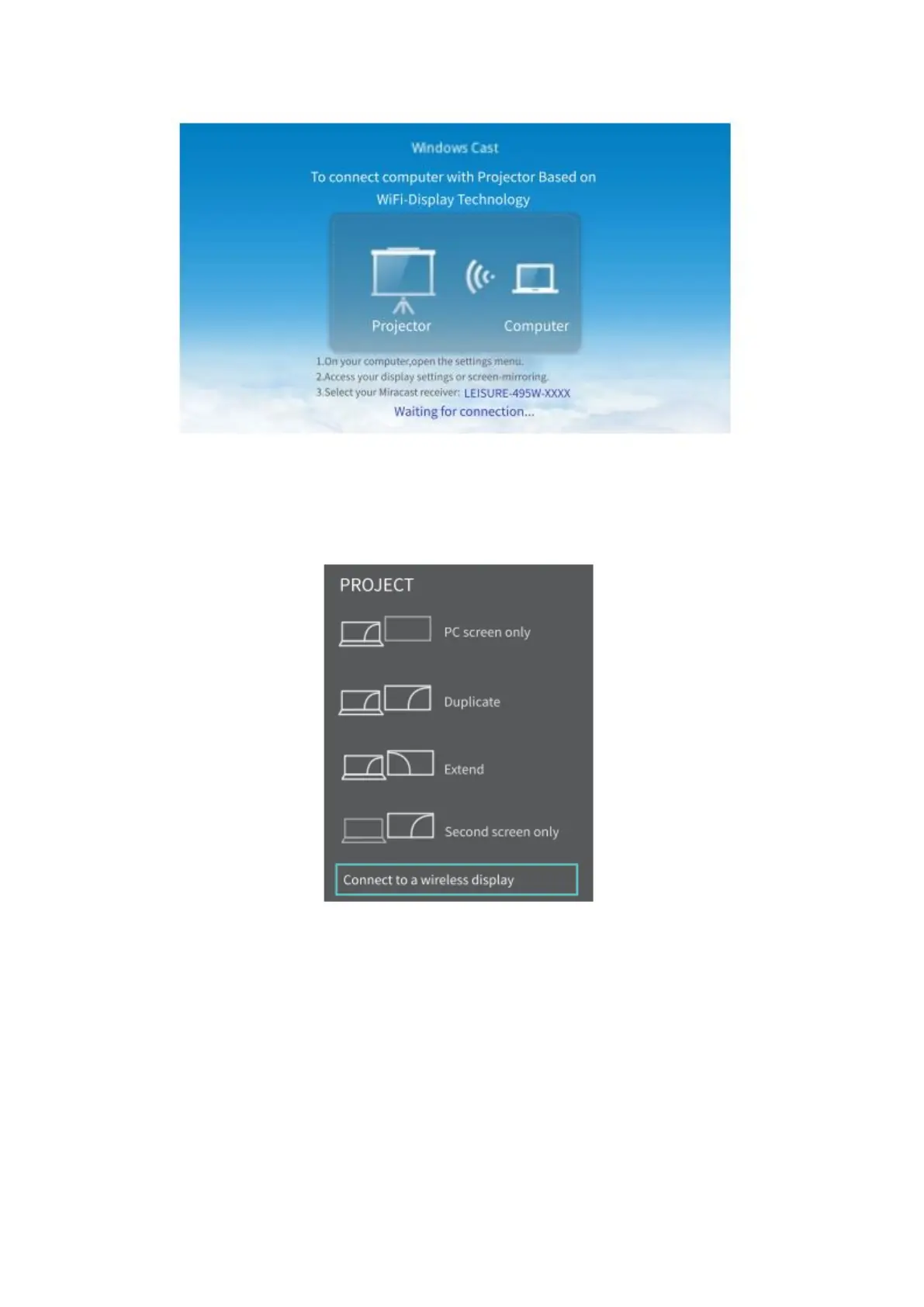
• Press the “Windows Logo + P” key combination on your keyboard to enter
PROJECTOR interface, then select “Connect to wireless display” to search the
projector.
• Select LEISURE-495W-XXXX from the searching list to connect.
• The contents on your Windows 10 device will be mirrored to the wall/screen
after a successful connection.
Notes:
• The fluency of screen mirroring will be affected by the network environment. A
badwidth of 100Mbit or more is recommended when using screen mirroring.
• Make sure your mobile device is close to the projector when using wireless
connection. A distance within 3ft is recommended.
• Some mobile device may not support screen mirroring due to the compatibility.













 To Next Page