5
Getting Started
Turn On
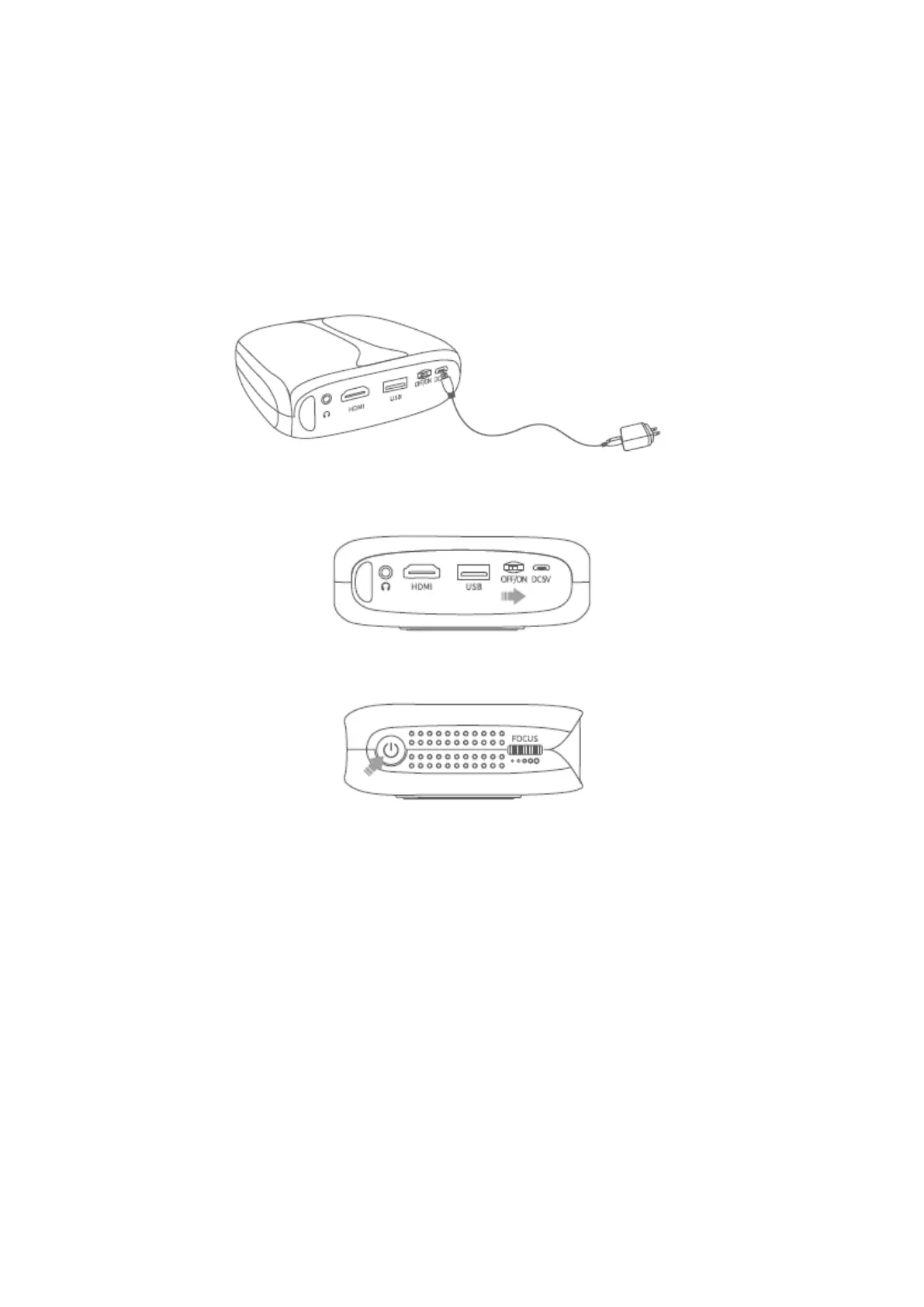
1) Plug the power cable into the projector and the socket.
2) Switch the ON/OFF Switch to ON.
3) Press the Power button to turn the projector on.
Turn Off
1) Press the Power button once, then select Confirm to turn off the projector.
2) Switch off the ON/OFF Switch to OFF.
Battery
This projector is equipped with the built-in-Li-ion rechargeable battery which can
provide power supply to other mobile devices through the USB port when needed.














 To Next Page