7
Wi-fi connection
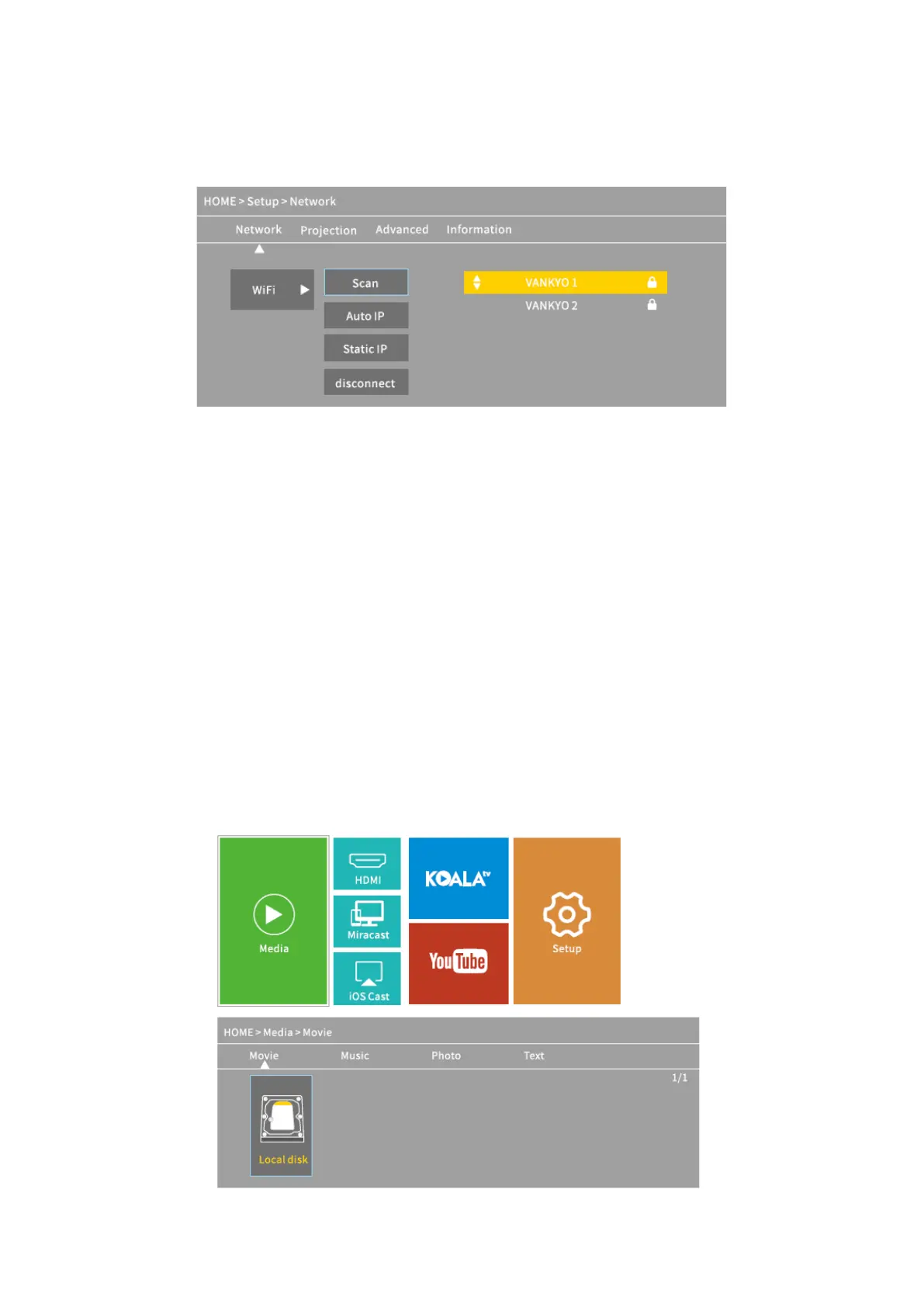
1. Go to Homepage > Setup > Network > WiFi, then select Scan to display the WIFI list.
2. Press the Up/Down button to select your WIFI, then press the Ok button to continue.
3. Enter the correct password, then select Confirm to get Internet connection.
Multimedia connection
Projecting from a USB Disk
1. Turn on the projector and insert your USB disk into the USB port.
2. Go to Homepage to select Media, it will display an interface for projecting from a USB
Disk.













 To Next Page