Back
20
5. Locking your bike
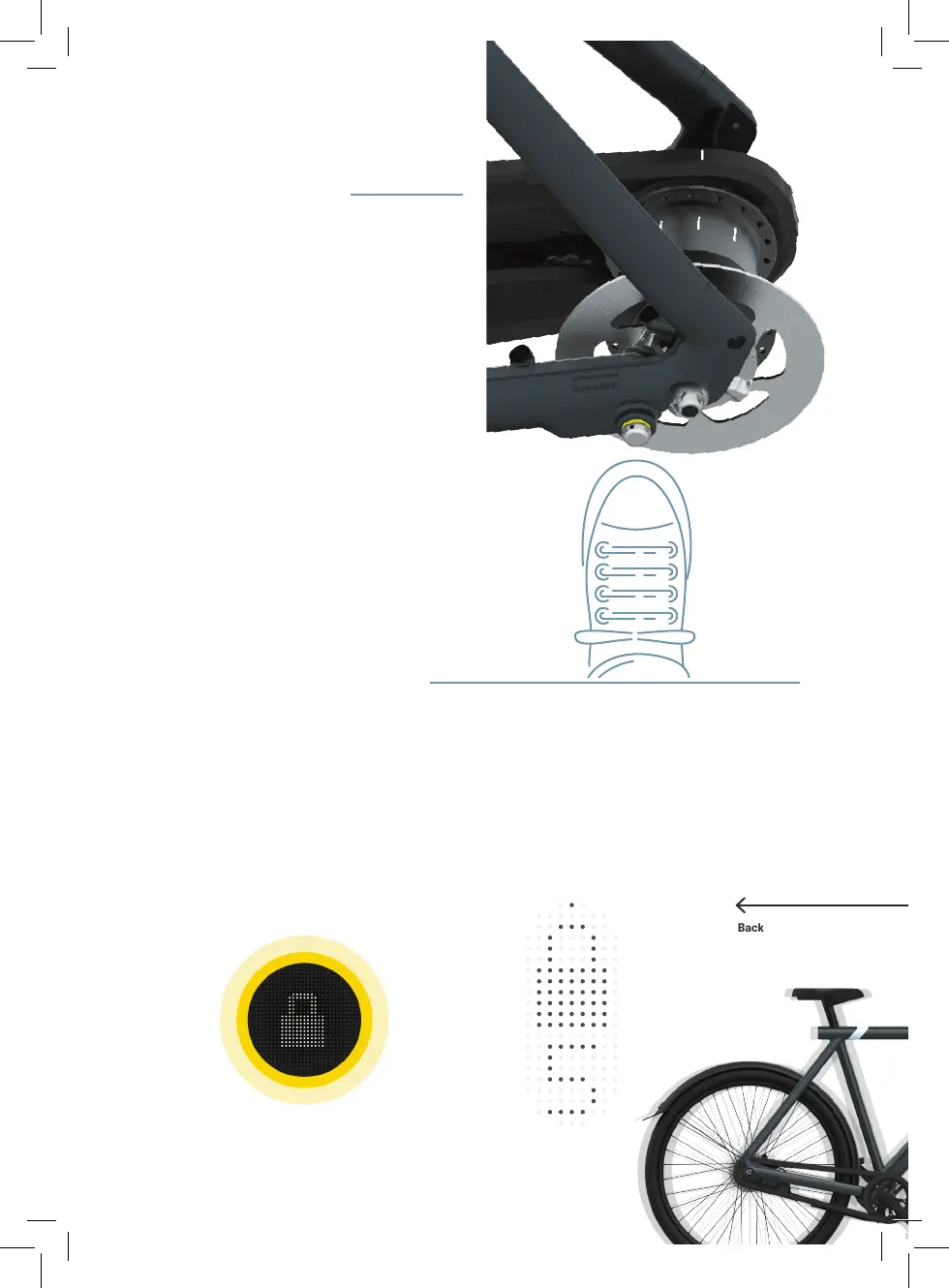
5.1 To lock your bike, align the stripe on the
chain guard with a stripe on the rear
hub.
5.2 Gently kick the Kick Lock button near
the left rear dropout. You’ll hear a
locking sound, and the rear wheel will
be immobilized.
5.3 If the alarm is activated in the app,
locking your bike will automatically arm
the alarm. Unlock your bike to disarm
the alarm.
6. Unlocking when connected
6.2 If Touch Unlock is activated in the app,
just press the left handlebar button to
unlock the bike. A ve-second timer will
appear on the Matrix Display, and you’ll
hear a ticking sound – move your bike
forwards or backward to release the
wheel.
6.1 When your phone is connected to your
bike, press the unlock icon in the app
to unlock the bike. A ve-second timer
will appear on the Matrix Display, and
you’ll hear a ticking sound – move bike
forwards or backward to release the
wheel.


 To Next Page