27
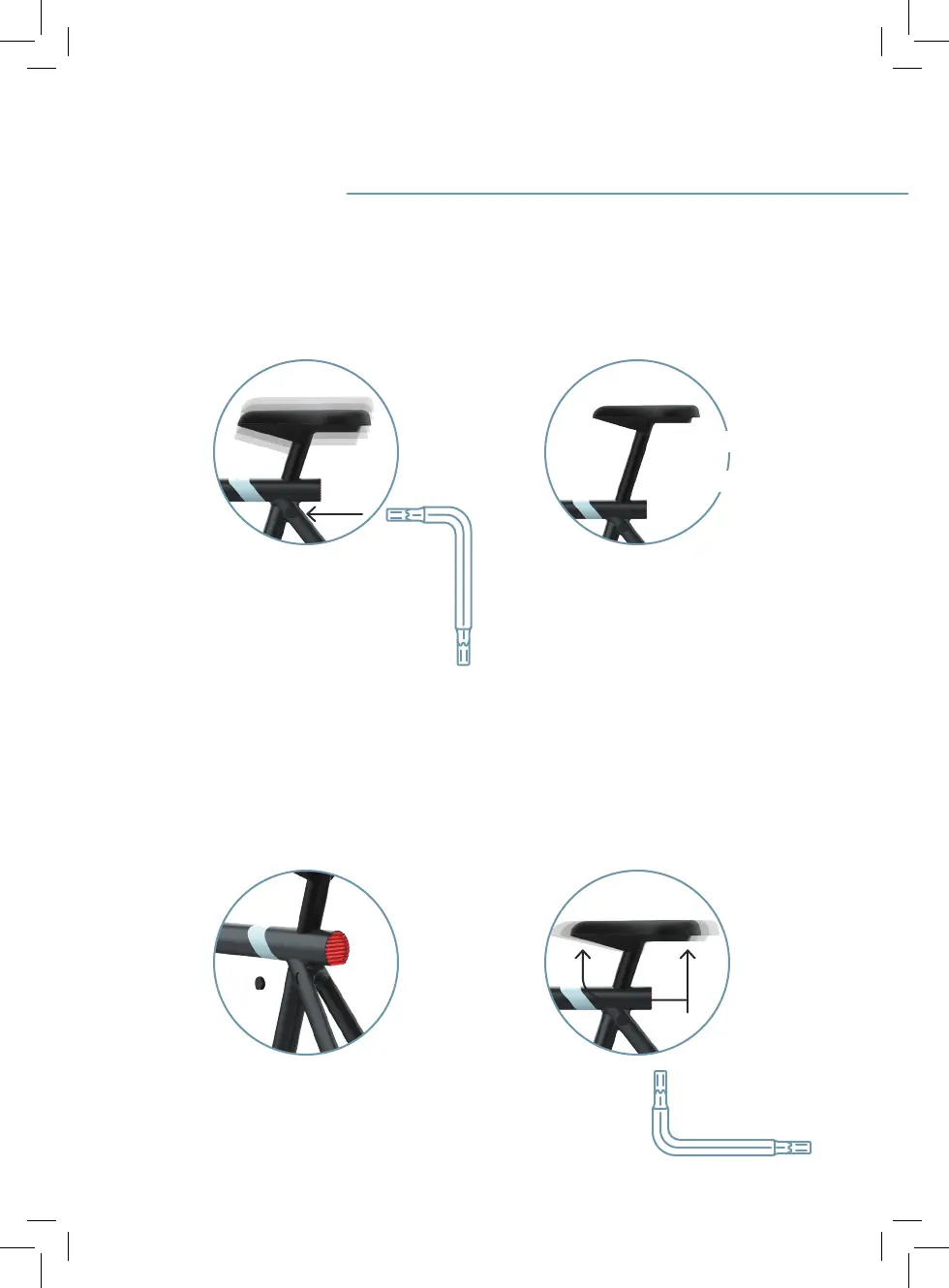
1. Saddle adjustment
1.2 Select the right saddle height and
tighten using anti-theft Torx key T30
and turning it clockwise. Make sure
you don’t exceed the maximum saddle
height indicated by a line of stripes.
1.3 Place the rubber cap back on making
sure the at edge matches the shape
of the opening.
1.4 Change the saddle position by insert-
ing anti-theft Torx key T30 into the
two openings. Loosen both bolts, and
then slide the seat to your preferred
position.
X3 max. height: 170mm
S3 max. height: 140mm
Torx key T30
1.1 First remove the rubber cap using
anti-theft Torx key T30. On the bottom
left, the cap has a small at area to
make it easier to remove.
Torx key T30


 To Next Page