Manually lock the video. In the video recording interface,
click the icon and the video will be locked and saved in
the event video folder.
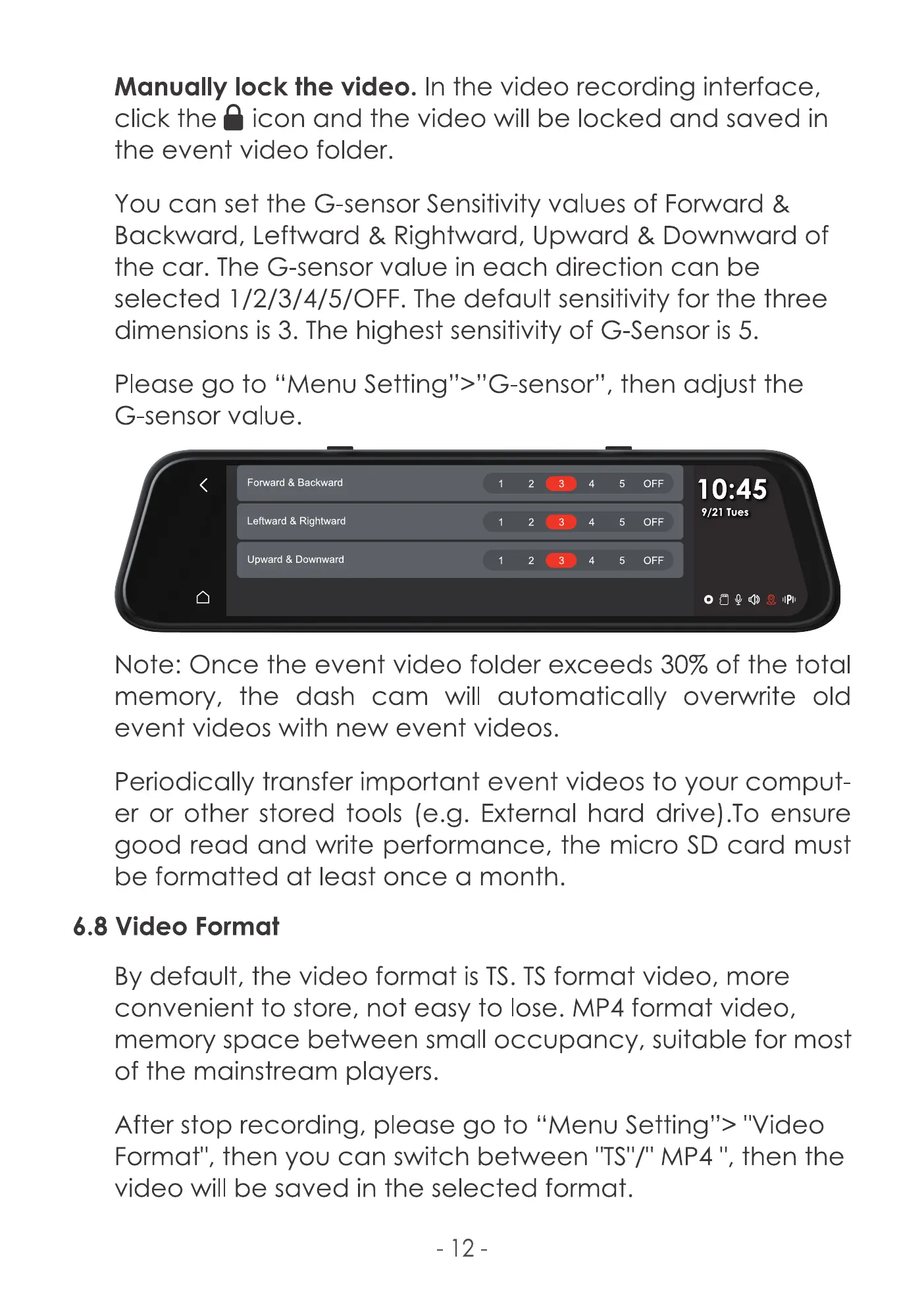
You can set the G-sensor Sensitivity values of Forward &
Backward, Leftward & Rightward, Upward & Downward of
the car. The G-sensor value in each direction can be
selected I /2/3/4/5/OFF. The default sensitivity for the three
dimensions is 3. The highest sensitivity of G-Sensor is 5.
Please go to "Menu Setting">"G-sensor", then adjust the
G-sensor value.
Forward & Backward
Leftward & Rightward
Upward & Downward
5
5
5
OFF
OFF
OFF
10:45
9/21 Tues
Note: Once the event video folder exceeds 30% of the total
memory, the dash cam will automatically overwrite old
event videos with new event videos.
Periodically transfer important event videos to your comput
er or other stored tools (e.g. External hard drive).To ensure
good read and write performance, the micro SD card must
be formatted at least once a month.
6.8 Video Format
By default, the video format is TS.TSformat video, more
convenient to store, not easy to lose. MP4 format video,
memory space between small occupancy, suitable for most
of the mainstream players.
After stop recording, please go to "Menu Setting"> "Video
Format", then you can switch between IITS'I/"MP4 1',then the
video will be saved in the selected format.
-12



 To Next Page