When the camera is turned on again, it will record in time
lapse recording mode.
6.14 Connecting External GPS Receiver
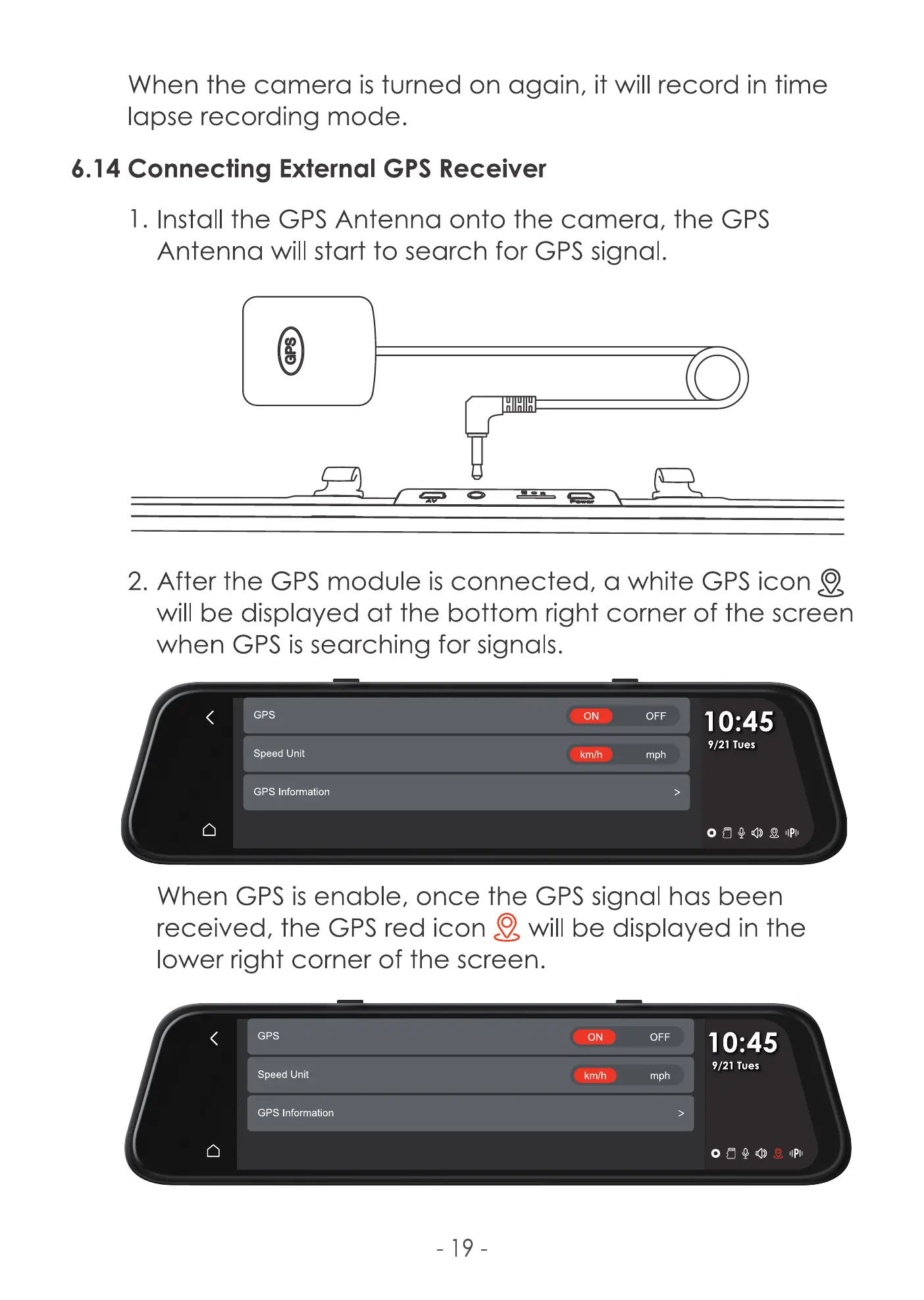
l. Install the GPS Antenna onto the camera, the GPS
Antenna will start to search for GPS signal.
HIHIH
2. After the GPS module is connected, a white GPS icon Q
will be displayed at the bottom right corner of the screen
when GPS is searching for signals.
GPS
Speed Unit
GPS Information
ON
km/h
OFF
mph
10:45
9/21 Tues
o BQO e
When GPS is enable, once the GPS signal has been
received, the GPS red icon will be displayed in the
lower right corner of the screen.
GPS
Speed Unit
GPS Information
- 19
ON
km/h
OFF
mph
10:45
9/21 Tues
IIPII



 To Next Page