22
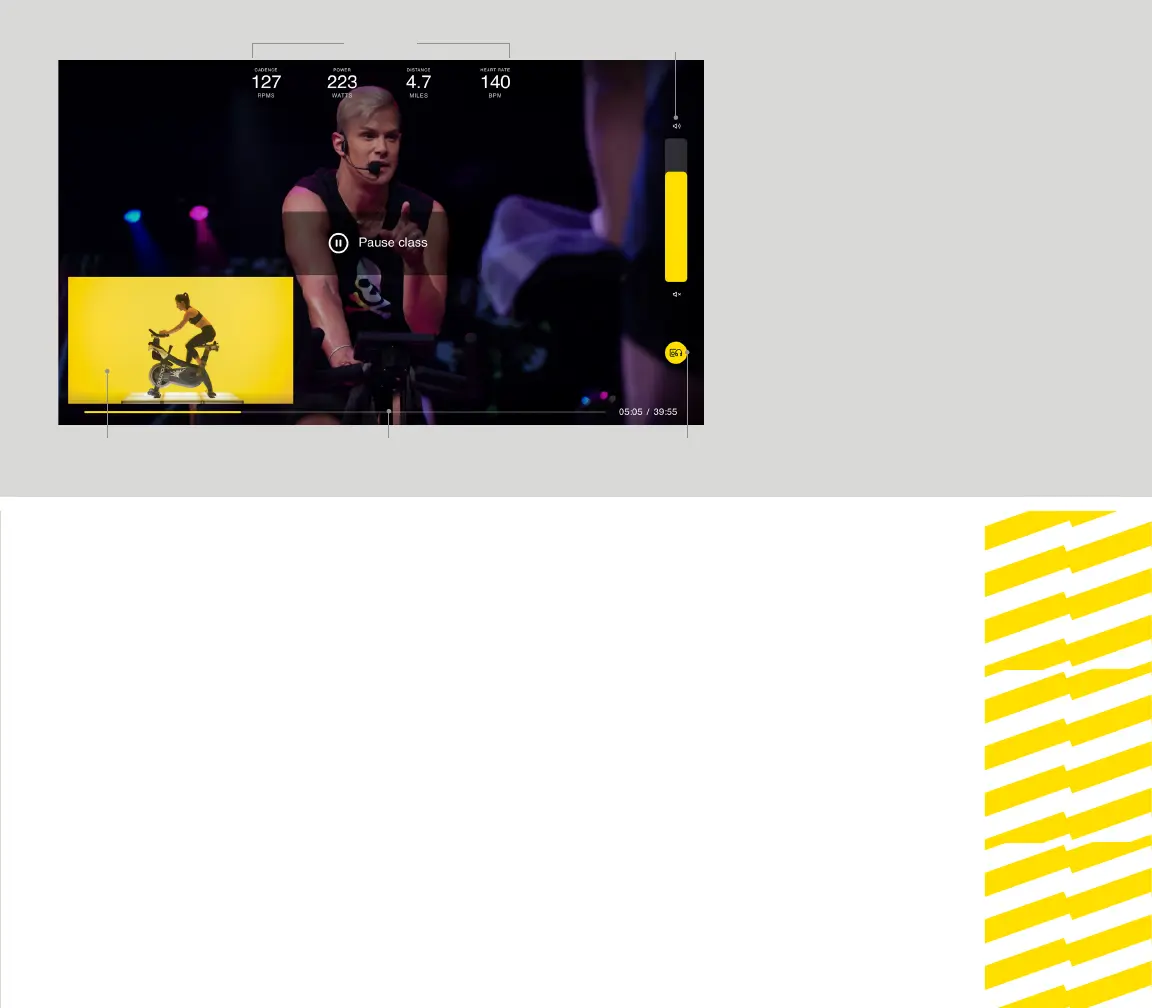
When taking a class, tap the center of the
touchscreen to reveal navigation options for ride
stats, volume, ride progress, form rider view, and to
pause your ride.
Swipe your desired function toward the center of
the screen to view/adjust.
Swipe back to remove the function from view.
TOUCHSCREEN
NAVIGATION
FORM RIDER VIEW
VOLUME
PROGRESS BAR AUDIO OUTPUT
STATISTICS


 To Next Page