1. Please check the package when receiving the package
Before installing and using the product, please firstly check whether the
appearance of the product is intact and whether the variety and quantity of
accessories are consistent with the packing list in the user manual. If there is any
defect, please contact the seller or manufacturer in time.
Installation and use
Installation and use
06
English
05
English
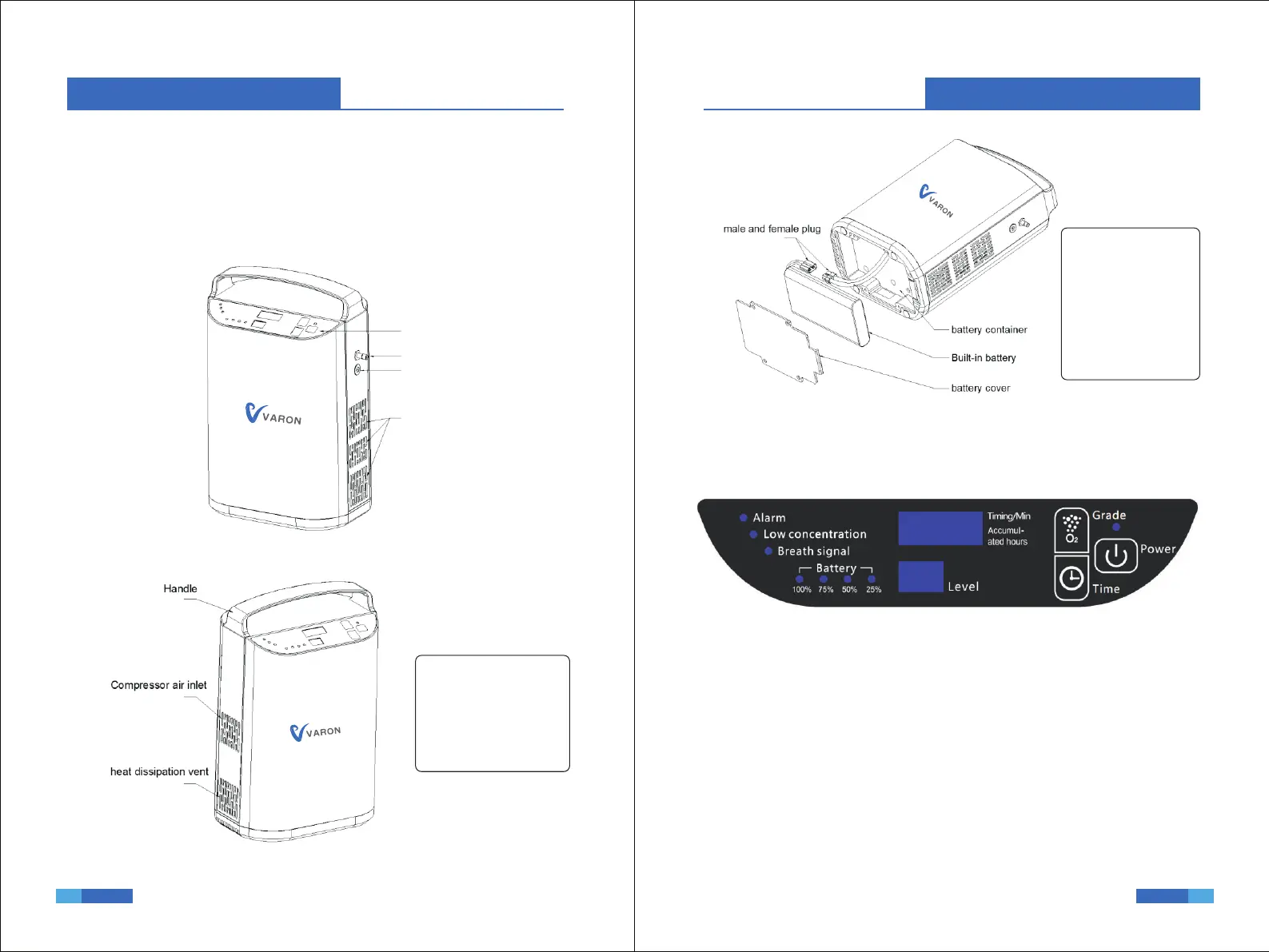
Operation panel
Oxygen outlet
Power connector
Radiator grille
Figure 1 Right side view –
Figure 2 left side view –
Note: It is normal for
hot air to be discharged
from the heat dissipation
vent. Make sure that the
air space at the air inlet
and outlet is smooth.
Note: The user cannot
disassemble without
p e r m i s s i o n , i f
necessary, It needs to
be returned to the
dealer or professional
for processing.
Attention: User is not
allowed to open this
part.
Figure 3 Schematic diagram of internal battery placement –
3. Introduction to operation panel function
2. Outline diagram
1. Button function introduction
▶ Power button: Start and stop keys. Short press the button, the
machine will start to work; long press the button for 3 seconds during work,
the machine will stop working;
▶ Grade:Adjust output oxygenflow;
▶ Time:Setting device using time, adjustable from 0~240 minutes
2. Display content introduction
▶ Accumulated hours: display how long the device has been working
(unit: hour)
Figure 4 Operation panel diagram –


 To Next Page