7
4.Instalation instructions
Fix the display on the handlebar and adjust the appropriate angle of view. When the e-bike is
powered off, the display can be completed by inserting the connector of the display and the
connector corresponding to the controller.
5. Operation introduction
5.1 Power on/off
After hold the 【
MODE
】 button, the instrument starts to work and provides the working power
supply of the controller. In the power on state, hold the 【
MODE
】 button to turn off the power supply
of the e-bike In the power off state, the display no longer uses the power supply of the battery,
and the leakage current of the display is less than 1uA.
If the e-bike is not used for more than 10 minutes, the display will power off automatically.
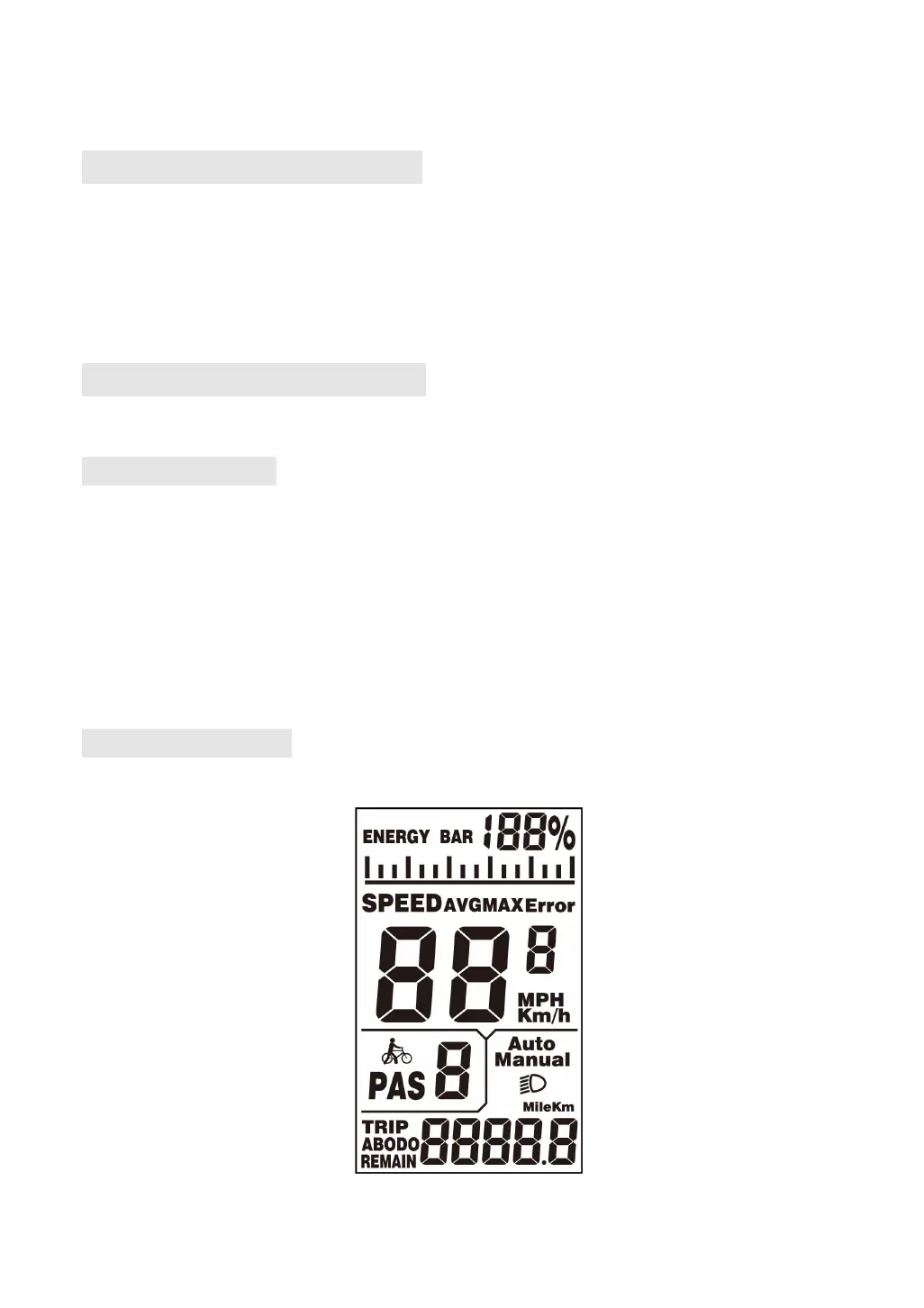
5.2 User interface
K5304 User interface


 To Next Page