In this menu, you can select an automatic sound-controlled show that optionally controls the
derby eect LEDs, the laser, the strobe eect or a combination thereof.
Press [MENU] to open the main menu.
Press [MENU] repeatedly or press [UP] and [DOWN] to select the ‘Sou’ menu item and conrm
with [ENTER]. Use [UP] and [DOWN] to select a show and conrm with [ENTER].
You can use the [SENSITIVITY MIN/MAX] control to adjust the sensitivity of the built-in micro‐
phone.
Show group Elements used
‘Sou1’ Derby eect LEDs + laser + strobe eect
‘Sou2’ Derby eect LEDs + strobe eect
‘Sou3’ Derby eect LEDs + laser
‘Sou4’ Strobe eect + laser
‘Sou5’ Derby eect LEDs
‘Sou6’ Strobe eect
‘Sou7’ Laser
Sound menu
Operating
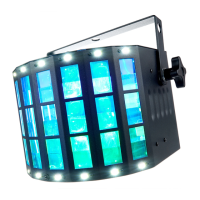
Razor Derby
25
LED Eect


 To Next Page