DIGIPASS
®
BLUETOOTH BRIDGE
For PCs that do not support BLE, VASCO offers our DIGIPASS
®
Bluetooth Bridge in a
USB dongle. When you insert the dongle into the USB port of a computer, (effectively
pairing the DIGIPASS
®
SecureClick with the DIGIPASS
®
Bluetooth Bridge), you can use the
DIGIPASS
®
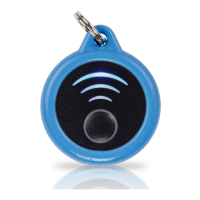
SecureClick like a FIDO U2F USB device.
FULLY PROTECTED CONNECTION
DIGIPASS
®
SecureClick establishes an encrypted communication between the DIGIPASS
®
SecureClick and the BLE device (e.g. laptop, mobile device). As a result DIGIPASS
®
SecureClick delivers the most secure and lightning fast user connectivity to protect even
the most sensitive mobile transactions.
DIGIPASS
®
SECURECLICK MANUAL
3
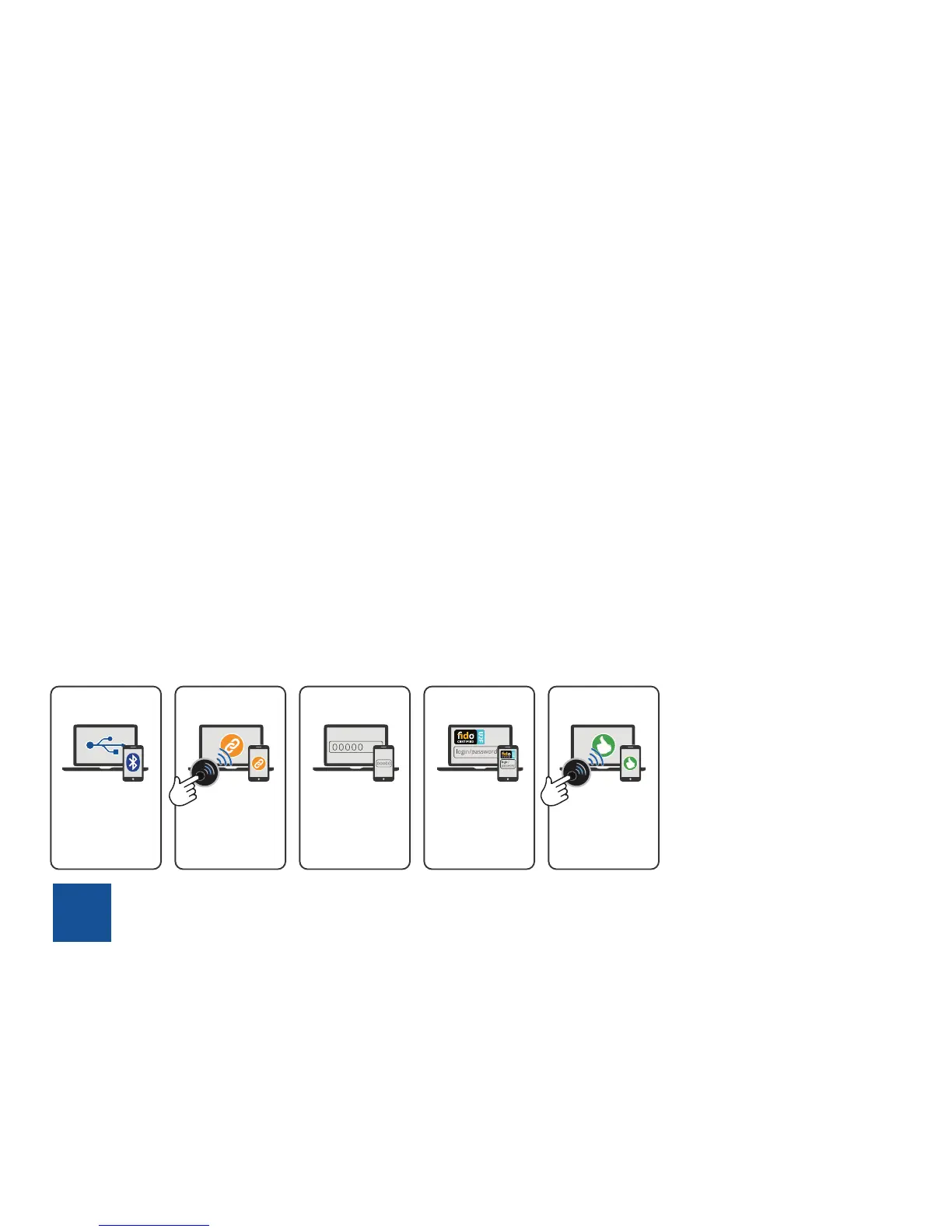
STEP 1 STEP 2 STEP 3 STEP 4 STEP 5
Activate Bluetooth on
your device or connect
your DIGIPASS
Bluetooth Bridge to a
USB port
Pair the
DIGIPASS SecureClick
to your host platform
by a long press on the
DIGIPAS SecureClick.
Enter Default code is
00000 on your host
platform. Now you are
ready to Use the
DIGIPASS SecureClick
the following opera-
tions can be repeat
on all Fido enable
website.
Register the DIGIPASS
SecureClick into any
Fido enable website by
a short press on the
DIGIPASS
SecureClick.
Easy and
authenticate to all
registered website by
just a short press on
the DIGIPASS
SecureClick


 To Next Page