HOW TO USE THE DIGIPASS
®
SECURECLICK?
If you are using the DIGIPASS
®
SecureClick alone, you need to use a platform that
supports:
• Bluetooth Low Energy (see platforms supporting BLE)
• FIDO U2F BLE (Not yet available, see platforms that will support FIDO U2F BLE)
General action to use your DIGIPASS SecureClick
• Step1: Activate Bluetooth on your mobile or connect your DIGIPASS Bluetooth Bridge
to a USB port of your computer,
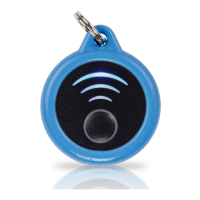
• Step 2: Pair the DIGIPASS SecureClick to your host platform by a long press on the
DIGIPAS SecureClick.
• Step 3: Enter Default code is 00000 on your host platform. Now you are ready to Use
the DIGIPASS SecureClick the following operations can be repeat on all Fido enable
website.
• Step 4: Register the DIGIPASS SecureClick into any Fido enable website by a short
press on the DP SecureClick.
• Step 5: Easy and authenticate to all registered website by just a short press on the
DIGIPASS SecureClick
DIGIPASS
®
SECURECLICK MANUAL
6


 To Next Page