Translation history
Previous translations appear in the main screen in chronological order. Swipe up or own to navigate between the translated sentences. Tap the text to playback. Tap and
hold the line for about one second to delete it.
Application menu
Tap in the top right corner to enter the application menu.
Tap the to return to the main screen.
Translator
From the application menu tap “Translator” to launch the application. (See Chapter 2)
Photo Translator
PhotoTranslator allows you to recognize text from pictures and translate it into a chosen language.
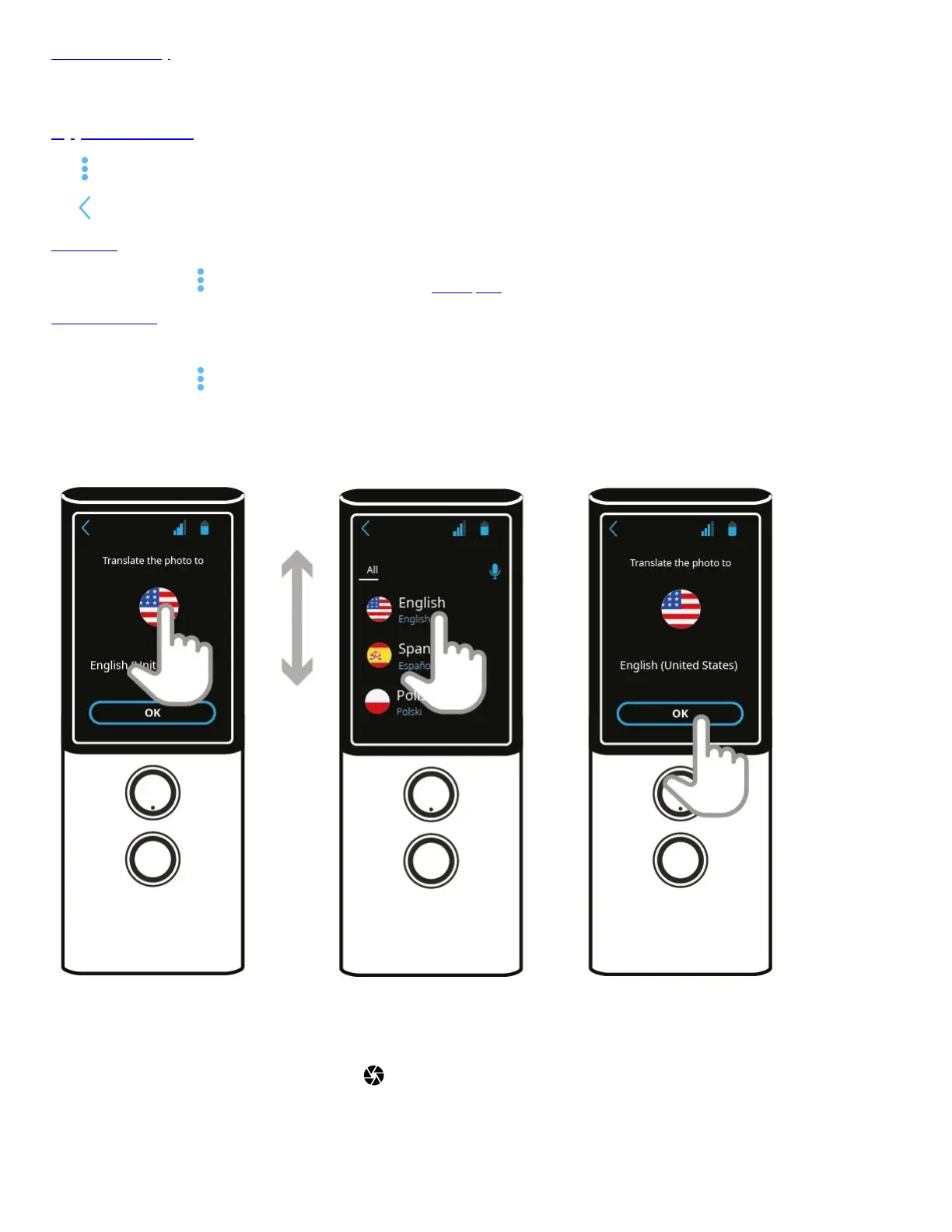
From the application menu tap “Photo Translator” to launch the application.
Press a flag to select the language you want to translate the photo into.
Tap ok to confirm.
Point the camera at the subject.
All the text should be visible on the screen.
After the camera focuses automatically, touch the shutter icon .


 To Next Page