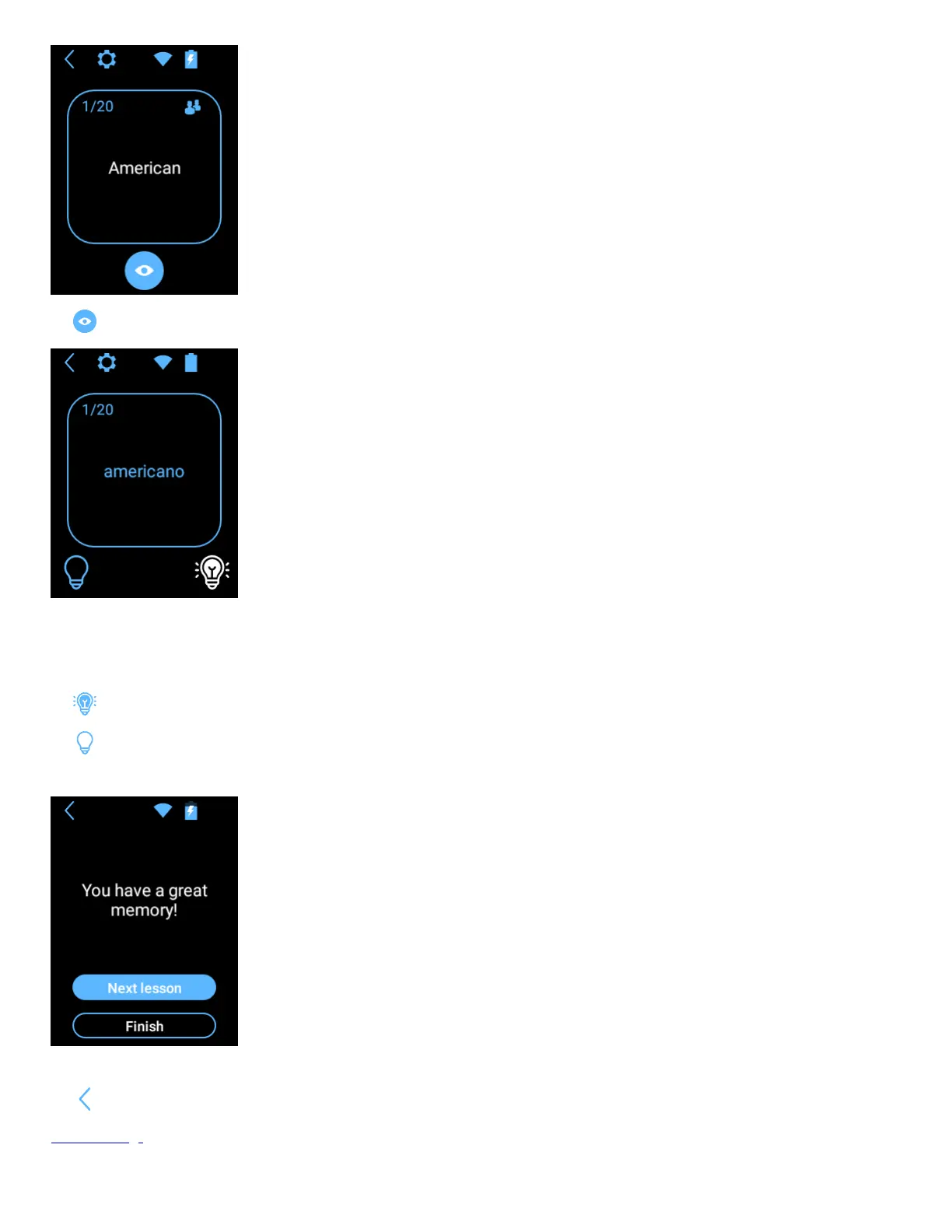
Tap to display the word in the language you want to learn.
The device reads the word aloud automatically.
Tap the text on the screen to listen to it again.
Note! Pronunciation may not be available for some languages.
Tap if you already know. This word will not appear in this lesson anymore
Tap if you want to repeat.
When all the words are displayed, you can end the lesson or go to the next one.
You can now start a new lesson or stop learning.
Tap to exit the application.
Device settings


 To Next Page