9. Installing Software
Green X / X18
(Model: PHT-75CHS) Installation Manual 117
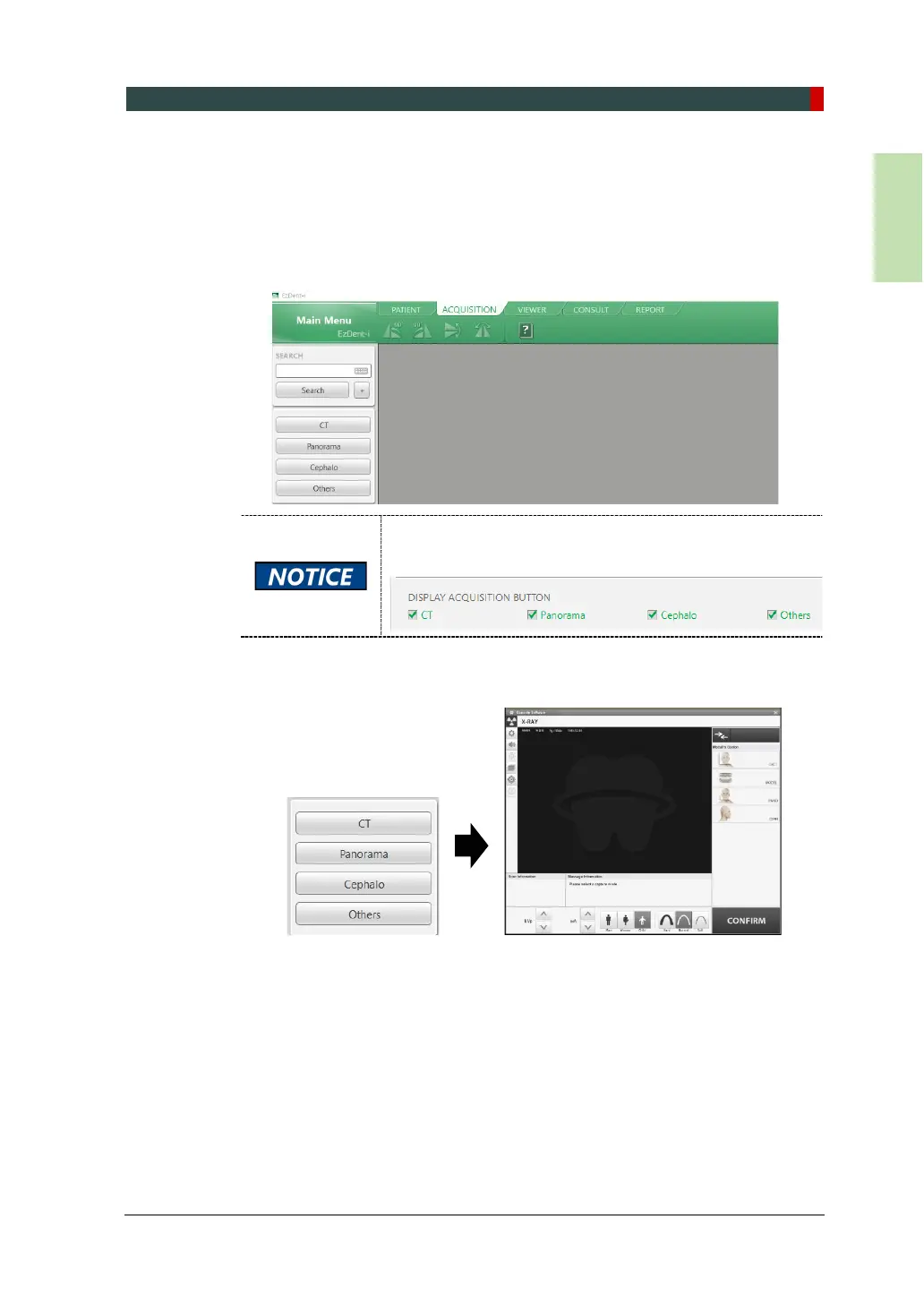
9.5.3 Initiating the Imaging Program
To initiate the imaging program in EzDent-i:
1. Click the ACQUISITION tab. The imaging mode selection menu appear
s in the left pane (see below).
The imaging mode selection menu may differ due to your
equipment’s option (CEPH or non-CEPH) or the Display
option you selected in the setting menu.
2. Select an imaging mode from the menu. Based on your selection, the
console software window appears.



 To Next Page