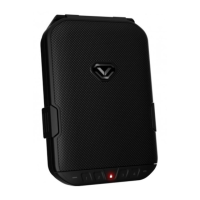
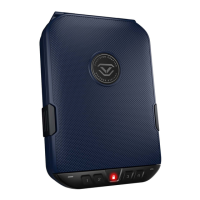
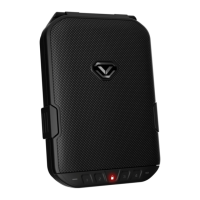
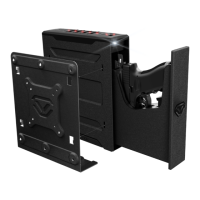
The Vaultek 10/20 Series safe is a robust and smart-security solution designed for storing valuables such as firearms, jewelry, cash, and other personal items. It features a solid structure and penetration-resistant design, making it ideal for secure storage. The safe is powered by a rechargeable lithium-ion battery and combines high security with comprehensive access control.
Function Description:
The Vaultek 10/20 Series safe provides secure storage with multiple access points and advanced security features. It is designed to prevent unauthorized access through various defense mechanisms. The safe's primary function is to secure valuables while offering convenient and controlled access to authorized users.
Important Technical Specifications:
- Battery: The safe uses a 3.7V 18650 rechargeable lithium-ion battery with a flat top. A minimum capacity of 2000 mAh is required, with 2200 mAh or higher recommended for extended operation time.
- Charging: The safe comes with a charging kit including an AC power adapter and a micro-USB cable. The adapter used to charge the battery should output 5V/2000mA or above when using micro-USB. Approximate recharge time is 2.5 hours.
- Keypad: Backlit numeric keypad with a built-in proximity sensor.
- Biometric Scanner (Biometric Models Only): Stores up to 20 unique fingerprints for personalized access.
- Construction: Unibody design with anti-impact latches and interior-mounted hinges, extended anti-pry reinforcement bars, and no external access points.
- Mounting: Features a quick-release cable mount for the included high-strength steel security cable and two pre-drilled mounting holes for permanent installation with included hardware.
- Connectivity: Bluetooth® 2.0 for app integration (Vaultek® Bluetooth® 2.0 App).
- Nano Key 2.0 (Sold Separately): Supports quick access via Nano Key Bluetooth 2.0.
- Dimensions/Weight: (Not explicitly stated in the provided text, but implied by the product type).
- Patents: Granted two United States Patents: an exterior design patent and a patent for Vaultek's signature two-point latch system (US D817,589 S | US 10,253,529).
Usage Features:
- Multiple Access Points:
- Keypad: Quick access using a programmable master code (4-8 digits). The default master code is 1-2-3-4-5.
- Biometric Scanner (VS10i and VS20i Only): Personalized access for up to 20 unique fingerprints. The first two enrolled fingerprints are administrative prints, required to authorize additional users.
- Keys: Two backup keys are provided for manual access, especially in case of battery depletion.
- Vaultek® Bluetooth® 2.0 App: Allows unlocking the safe, checking battery levels, adjusting interior light duration, managing Nano Key settings, managing fingerprint IDs, and viewing the history log. Remote unlock by phone is an optional feature that needs to be enabled.
- Nano Key 2.0 (Sold Separately): Provides instant access, functioning as a panic button.
- Security Features:
- Anti-Impact Latches: Designed to withstand forceful impacts and heavy slams.
- Unibody Construction: Strong design without welds or weak points.
- No External Access Points: Interior-mounted hinges and anti-pry reinforcement bars prevent tool-based forced entry.
- Security Sleep Mode: Activates after six consecutive incorrect keypad entries or fingerprint scans, disabling entries for four minutes.
- Alert of Manual Unlock: An optional feature that flashes the keypad and beeps for 10 seconds if the safe is opened with a key or by picking the lock. Requires master code entry to clear.
- Tamper Detection: Users can check for tampering by pressing and holding keys '2' and '4' together for 3 seconds.
- Dual Entry Mode (Biometric Models Only): Requires both a master code and an enrolled fingerprint to open the safe.
- User Interface:
- Backlit Numeric Keypad: Lights up when a hand brushes against the safe.
- Sound Settings: Toggle between high, medium, low pitch, or off.
- Interior LED Light: Adjustable duration (Off, 10, 30, or 60 seconds).
- Travel Mode: Disables the proximity sensor, fingerprint sensor, keypad, and Bluetooth features to save battery and prevent tampering during travel.
- Low Battery Alarm: Sounds continually every 8 minutes when the battery is critically low.
Maintenance Features:
- Battery Installation: Simple installation of the 18650 lithium-ion battery. The safe automatically detects polarity. A pull string is recommended for easy removal.
- Battery Charging: Recharge the safe by plugging the micro-USB cable into the port and connecting to a standard USB port or wall outlet. The LED light indicates charging status (YELLOW for charging, GREEN for fully charged).
- Battery Level Check: Press and hold the '5' key for 3 seconds to view battery status via keypad lights (4 keys green: 80-100%, 3 keys green: 60-80%, 2 keys green: 40-60%, 1 key green: 20-40%, 1 key red: 10-20%, 1 key blinking red: less than 10%).
- Soft Reset: Removing and reinstalling the battery performs a soft reset, restoring default settings for interior light, sound, and manual unlock alert. Master code and fingerprint data are not affected.
- Master Code Programming: First-time users are encouraged to change the default master code. The code can be 4-8 digits long.
- Fingerprint Enrollment (Biometric Models Only): Program up to 20 unique fingerprints, with the first two being administrative. Tips for accurate scanning include placing the core of the finger flat, rotating slightly between scans, and ensuring the sensor is dry.
- Deleting Fingerprints (Biometric Models Only): All fingerprints can be deleted from the safe via a hotkey combination. Individual fingerprints can be deleted using the Vaultek® Bluetooth® app.
- Factory Reset: Erases all programmed information, including fingerprints and master code (resets to 1-2-3-4-5). Requires a hotkey combination and battery removal/reinstallation.
- Product Registration: Strongly encouraged for warranty benefits (three-year warranty, technical support, replacement keys). Requires product number (on battery door and manual) and 4-digit ID number (on keys).
- Securing the Safe:
- Steel Security Cable: Loop around a secured object and insert the end into the quick-release cable mount inside the safe.
- Mounting Screws: Use pre-drilled holes on the bottom to mount the safe to a flat surface. Ensure proper clearance for lid opening.
- App Connection Management: Toggle app connection ON/OFF to control Bluetooth communication.
- Phone Unpairing: Hotkey combination to unpair all connected smartphones from the safe.
- Nano Key 2.0 Management: Pairing, unpairing, and enabling/disabling the Nano Key 2.0.
- History Log Timestamp: The app's history log can be synced with the phone's time by removing and reinstalling the battery and re-syncing the phone.
Warnings and Disclaimers:
- Do not store backup keys inside the safe.
- Avoid extreme heat or cold.
- Do not store loaded guns in the unit.
- Keep the fingerprint sensor dry.
- Ensure the door is latched firmly when closing.
- Vaultek® is not liable for unauthorized access, injury, loss, or damage arising from the use or inability to use the safe.
- Vaultek® safes are not intended to protect against fire and water.
- Follow all local and state firearm laws.
- Do not operate a firearm without proper training and experience.
- Exercise caution when using Nano Key 2.0; security can be compromised if lost or stolen.
- The Bluetooth® word mark and logos are registered trademarks of Bluetooth SIG, Inc.

 Need help?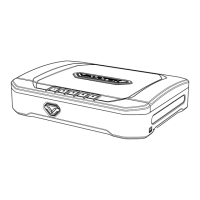

 To Next Page
 General