EasyManua.ls Logo

Vaultek LifePod Series - User Manual

Vaultek LifePod Series
13 pages
Print Icon
To Next Page IconTo Next Page
Loading...
Visit www.vaulteksafe.com/lifepod-support for online tutorials, quick setup help, and FAQs.
Question and Answer IconNeed help?

Do you have a question about the Vaultek LifePod Series and is the answer not in the manual?

Summary

Battery Installation

Step-by-Step Battery Setup

Detailed instructions for installing the 9V battery, including latch release and cover removal.

Basic Operation

Master Code Programming

Code Programming Steps

Guide to changing the default master code for enhanced security and operational tips.

Security Features

Safety Warnings

General Safety Precautions and Disclaimers

Critical safety information, warnings, and disclaimers for using the LifePod.

Basic Operation and Weather Sealing

Battery Installation Details

Step-by-step Battery Replacement

Comprehensive guide for installing and replacing the 9V battery, including ribbon placement.

Alternative Power and Access

Master Code Programming Guide

Code Change Procedure

Detailed steps to program a new master code, including requirements and confirmation.

Exterior Key Lock

LED Indicator Meanings

Securing the LifePod

Overview

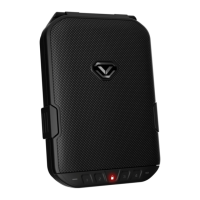
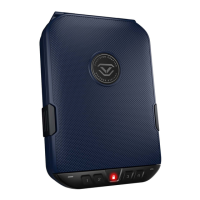
The Vaultek LifePod is a portable lockbox designed for secure storage and transport of valuables and personal items. It features a pin access system and can be secured using side compression latches to protect against environmental factors, with an additional option to lock the unit with a keypad for enhanced security.

Function Description:

The LifePod operates as a portable lockbox with multiple access methods. Its primary function is to provide secure storage, combining a robust physical design with electronic access.
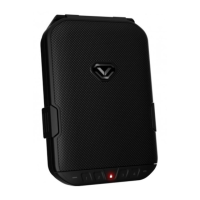
  • Secure Access: The device utilizes a 4-digit capacitive keypad for quick access. A built-in proximity sensor lights up the keypad when the lock pad is touched, making it easy to use in various lighting conditions.
  • Manual Key Access: Two backup keys are provided for manual access in case of battery failure. The keyhole is located beneath a front protective rubber cover.
  • Micro-USB Port for Power: In situations where the battery dies and backup keys are unavailable, the unit can be powered externally via a micro-USB port (cable not included). This allows users to enter their code and open the unit.
  • Environmental Protection: The side compression latches are designed to protect the interior from environmental factors such as dust and splashes. The unit is designed to float when loaded with weight up to 2 lbs and is waterproof up to 1 foot deep, though it should not be submerged deeper than 1 foot. It is not fireproof.
  • Security Features:
    • Anti-Impact Latch: Built to withstand forceful impacts, enhancing physical security.
    • High Impact Polymer: Engineered from extremely strong and impact-resistant polymer.
    • Anti-Pry Design: Interior channels and a gasket form a seal around the inner chamber, making it difficult for tools and small objects to penetrate.
    • Security Tether: An included tether lanyard can be used to secure the LifePod to a stationary object (e.g., a car seat bracket). An optional heavy-duty steel security cable can be purchased separately for additional security.
    • Security Sleep Mode: Activates after six consecutive incorrect keypad entries, disabling keypad input for four minutes. During this time, all keys flash RED, and an alarm beeps.
    • Key Lock Feature: An anti-hacking feature allows users to disable the exterior lock from functioning, preventing it from being picked open. However, when this feature is ON, backup keys will also not work, so it should be used with caution. The micro-USB port can still provide power in case of battery failure.

Important Technical Specifications:

  • Power Source: 9V Alkaline battery (not included). Under normal use (1-2 locks/unlocks per day), a new battery can last up to one year. Non-alkaline 9V batteries will have a shorter life.
  • Keypad: Capacitive 4-digit keypad. Codes can be 4 to 8 digits long. Two keys cannot be pressed simultaneously.
  • Water Resistance: Waterproof up to 1 foot deep. Designed to float with up to 2 lbs of weight. Not fireproof.
  • Operating Temperature Range: -14°F to 120°F.
  • Dimensions: (Not explicitly stated in the provided text, but implied by "portable lockbox").
  • Product Number: Located on the first page of the user manual and on the back of the battery door.
  • Key ID Number: A 4-digit ID number engraved on the keys.

Usage Features:

  • Battery Installation:
    1. Undo both side compression latches to open the LifePod.
    2. Locate and remove the battery cover on the front wall.
    3. Connect an Alkaline 9V battery to the snap connector, ensuring correct orientation. A welcome tone and keypad light up indicate successful connection.
    4. Slide the battery into its compartment, placing the battery ribbon underneath first for easier removal.
    5. Replace the battery cover.
  • Locking:
    1. Ensure side compression latches are latched closed.
    2. Press and hold the lock pad for 2 seconds.
  • Unlocking:
    1. Tap the lock pad to wake the unit. The keypad lights up.
    2. Enter the master code (default is 1-2-3-4). The status LED turns GREEN, and the lock disengages.
    3. Undo both side compression latches to open the unit. Important: Do not undo compression latches before unlocking with the master code, as this can cause binding.
  • Master Code Programming:
    1. Open the unit and tap the lock pad to wake it up.
    2. Press and hold the PROGRAM button for 3 seconds until ALL keys (1-4) turn solid RED.
    3. Enter the new code.
    4. Press and hold the PROGRAM button a second time for 3 seconds until ALL keys (1-4) turn solid RED.
    5. Enter the new code a second time.
    6. Press and hold the PROGRAM button a third time for 3 seconds. The status LED flashes GREEN, and the LifePod beeps to confirm the code change. Note: The PROGRAM button will not function when the LifePod latch is in the locked position.
  • Compression Latches Usage:
    • To Open: Lift from the bottom of each latch away from the unit. Latches will disengage and swing free.
    • To Close: Rest the top of each latch against the top housing. Press the bottom of each latch firmly towards the unit until they snap into position.
  • Securing the LifePod:
    1. Wrap the looped end of the tether around a fixed object (e.g., seat bracket).
    2. Pull the adapter piece through the loop and cinch tight.
    3. Place the adapter piece in its slot in the LifePod and close the lid.
  • Key Lock (Anti-Hacking Feature):
    • OFF (Default): Exterior lock is engaged and fully functional.
    • ON: Exterior lock is disengaged, preventing picking. Backup keys will not work in this mode.

Maintenance Features:

  • Battery Replacement: The battery ribbon underneath the battery facilitates easier removal for replacement.
  • Weather Sealing:
    • Always check that the rubber gasket is free of debris before closing the lid.
    • Ensure side compression latches are fully engaged and closed.
    • Ensure the front rubber cover (for keyhole/micro-USB port) is closed tightly.
  • Keypad Performance: Water can affect keypad performance. Wipe away excess water and dry the keypad when opening for best results and to prevent water from entering the storage compartment.
  • Product Registration: Vaultek strongly encourages registration for technical support, ordering replacement keys, and other benefits. This requires the product number and 4-digit ID number from the keys.
  • Troubleshooting: An FAQ section is provided in the manual and online at vaulteksafe.com/lifepod-support for common issues like unresponsive keypads (likely dead battery), lost keys (contact support with registration details), and lids not opening due to atmospheric pressure differences (open keyhole cover to release pressure).

Vaultek LifePod Series Specifications

General IconGeneral
BrandVaultek
ModelLifePod Series
CategorySafes
LanguageEnglish

Related product manuals