Need help?
Do you have a question about the Vaultek SLIDER and is the answer not in the manual?
Steps to install the rechargeable lithium-ion battery into the safe.
How to check the battery level using the keypad.
How a soft reset affects safe settings like interior light and sound.
Tips for accurate fingerprint scanning and placement on the sensor.
How to program the first two administrative fingerprints.
How to toggle between access modes for the Smart Key.
Procedure to remove a paired Smart Key from the safe's memory.
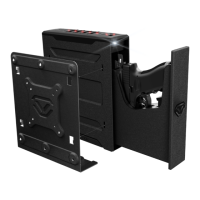
Details on the mounting plate and its various configurations.
Instructions for installing the mounting bracket to a surface.
Steps to attach the safe to the installed mounting plate.
Procedure to detach the safe from the mounting plate.
Options for custom mounting solutions using VESA standards.
Information on how to get help and find FAQs.
Details of the safe's warranty coverage and terms.
 General
| Material | 16-gauge steel |
|---|---|
| Lock Type | Electronic |
| Mounting Options | Included Mounting Plate |
| Gauge Steel | 16-gauge |
| Battery Life | 4-6 months |
| Interior Capacity | 0.07 cubic feet |
| Backup Keys | Yes |
| Locking System | Electronic |
| Access Methods | Keypad, backup keys |
| Battery | Rechargeable Lithium-ion |
| Water Resistance | No |
| Warranty | 1 Year |
| Exterior Dimensions | 11.5” x 6.5” x 2.625” |

 To Next Page