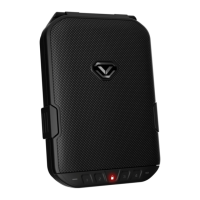
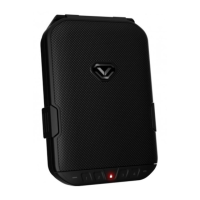
The Vaultek® LifePod® 2.0 is a portable lockbox designed for securing valuables and personal items, offering both physical and electronic security features. It is constructed from high-impact polymer, making it strong and impact-resistant, and features an anti-pry design with interior channels and a gasket to create a seal around the inner chamber, deterring forced entry. The lockbox is portable and can be secured to a stationary object using an included steel security cable.
Function Description:
The LifePod® 2.0 provides pin access for locking and unlocking, with a capacitive numeric keypad. Biometric models also include a fingerprint scanner for quick and secure access. The device is designed to protect its contents from environmental factors such as water, dust, and splashes, and can float when loaded with weight up to 2lb. It can be submerged up to 1 foot for up to 30 minutes.
Important Technical Specifications:
- Power Source: 9V Alkaline battery (not included). Under normal use, the battery can last up to one year.
- Keypad: Capacitive 4-digit backlit LED keypad.
- Master Code: User-programmable, 4 to 8 digits long. Default master code is 1-2-3-4.
- Biometric Scanner (Biometric Model Only): Stores up to 20 unique fingerprints. The first two fingerprints are recognized as administrative prints, used to authorize additional users (3-20). Each fingerprint enrollment requires 4 registration scans.
- Water Resistance: Waterproof up to 1 foot deep. Designed to stay afloat with up to 2lb of weight.
- Operating Temperature Range: -14°F to 120°F.
- Security Tether: Included steel security cable for securing the unit to a fixed object.
- Micro-USB Port: Allows for external power in case of battery depletion, enabling access to the unit without backup keys.
- LED Indicators: Multiple LEDs provide feedback on status, tamper indication, battery level, and lock status.
- Sound and Light Control: Hot keys allow toggling interior LED light (Off, 20 seconds, 60 seconds) and sound (ON/OFF).
Usage Features:
- Locking: Press and hold the lock pad for 2 seconds. Side compression latches must be closed first for proper engagement of the locking mechanism.
- Unlocking (Keypad): Tap the lock pad to wake the unit, then enter the master code. The status LED will turn GREEN and the lock will disengage.
- Unlocking (Biometric Scanner - Biometric Model Only): Scan an authorized fingerprint. No need to wake the unit first. The status LED will turn GREEN and the lock will disengage.
- Backup Keys: Two backup manual keys are provided for unlocking the unit in case of battery failure. The keyhole is located under the front protective rubber cover. Manual keys cannot lock the LifePod®.
- Anti-Picking Feature: A switch allows disabling the front key access, preventing the unit from being picked open and also preventing manual key use. Use with caution, as forgetting the master code or not enrolling fingerprints (biometric model) when this feature is ON will prevent opening the unit.
- Security Sleep Mode: Activates after 6 consecutive incorrect keypad or fingerprint entries, disabling entries for four minutes. The status LED flashes RED and an alarm beeps if a key is pressed during this time.
- Removable Interior Tray: Allows for organizing smaller items or can be removed for deeper storage. Includes slots for securing items with Velcro straps (two included).
- Quick Setup Guide: Provides step-by-step instructions for battery installation, master code programming, biometric scanner programming, and product registration.
Maintenance Features:
- Battery Replacement: The 9V Alkaline battery is located under a cover on the front wall. A battery ribbon is recommended for easier removal. A flashing RED keypad after battery installation indicates a low battery, requiring replacement with a new brand-name 9V Alkaline battery.
- Keypad Cleaning: Water can affect keypad performance. Wipe away excess water and dry the keypad for best results and to prevent water from entering the storage compartment.
- Fingerprint Scanner Maintenance (Biometric Model Only): The scanner is waterproof, but needs to be dried off before a finger is scanned for optimal performance. Excessive moisture, lotions, or dirt can affect sensor readings.
- Deleting Fingerprints: To delete all stored prints, wake the unit, press and hold keys '1' and '3' together for 3 seconds (until all keys turn RED), then enter the master code.
- Troubleshooting: The manual provides solutions for common issues such as a flashing RED keypad, inability to lock with backup keys, keypad not lighting up during programming, and low fingerprint success rates.
- Customer Support: Vaultek® offers a two-year warranty with product registration and provides technical support via email and their website.

 Need help?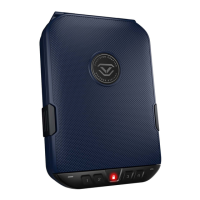

 To Next Page
 General