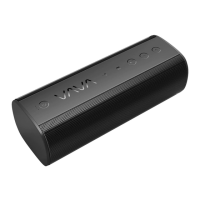
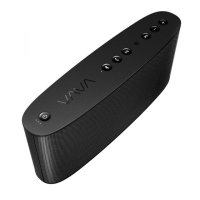
3.5mm AUX Connection
If Bluetooth is not available, you can connect to other music devices via the 3.5 mm AUX cable.
FAQ
Q: My device cannot find the VAVA when searching for Bluetooth connections?
A: Please make sure the VAVA is in pairing mode or your device will not be able to find it. Pairing
mode is indicated by a
flashing Bluetooth indicator. Also make sure the speaker is close to your device when searching.
Q: Why is the music intermittent in wireless mode?
A: Bluetooth is a radio technology that is sensitive to objects between the speaker and the
connected device. Ensure the
speaker and the connected device is within range and in direct line of sight.
Q: I tried to connect to the VAVA , but my device says “connection failed”?
A: Please make sure:
• Your device supports the Bluetooth stereo profile “A2DP”.
• Try to clear the VAVA pairing memory by pressing and holding the Bluetooth button for 10
seconds.
• Delete VAVA from your device search result and connect again
Care and Caution
• Keep the speaker away from heat and humidity.
• Avoid extended exposure under direct sunlight or hot area. High temperatures will shorten
lifespan of the speaker.
• Do not try to take the product apart. It may cause serious damage.
• Do not drop or knock your speaker on hard surfaces as it damages the interior circuitry.
• Do not use chemicals or detergents to clean the product.
• Do not scrape the surface with sharp objects
Technical Specifications


 To Next Page