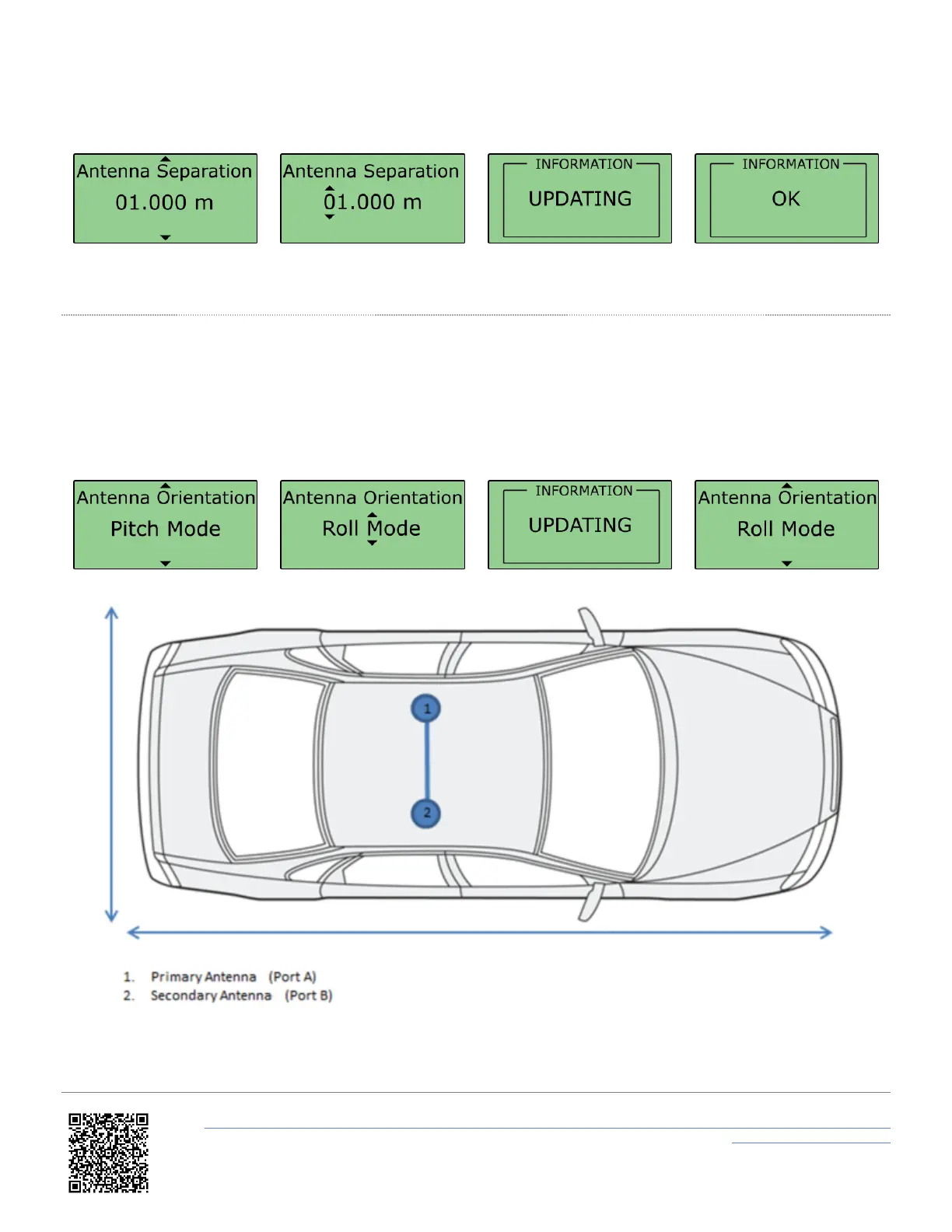
the 2D distance between the antennas as viewed from above. It is not the straight-line distance between the antennas,
regardless of the mounting angle.
Note: Whenever the physical antenna separation is altered, this should be changed accordingly within VBOX Manager.
Roll Mode (optional)
The VB3iD/VB3iDR allows the user to separately test roll and pitch measurements during their testing. By default, the
VB3iD/VB3iDR will be setup for Pitch determination. If the user wishes to setup their antennas across the width of the
car to measure roll angle, then the 'Roll Mode' option must be toggled within the 'Antenna Orientation' menu. To
toggle between Pitch Mode and Roll Mode, press on the menu, scroll to the required option and then press again.
https://en.racelogic.support//Product_Info/VBOX_Data_Loggers/VBOX_3i_Range/VBOX_3i_User_Guide_(All_Variants)/06_-
_VB3i_Dual_Antenna_Setup
25


 To Next Page